
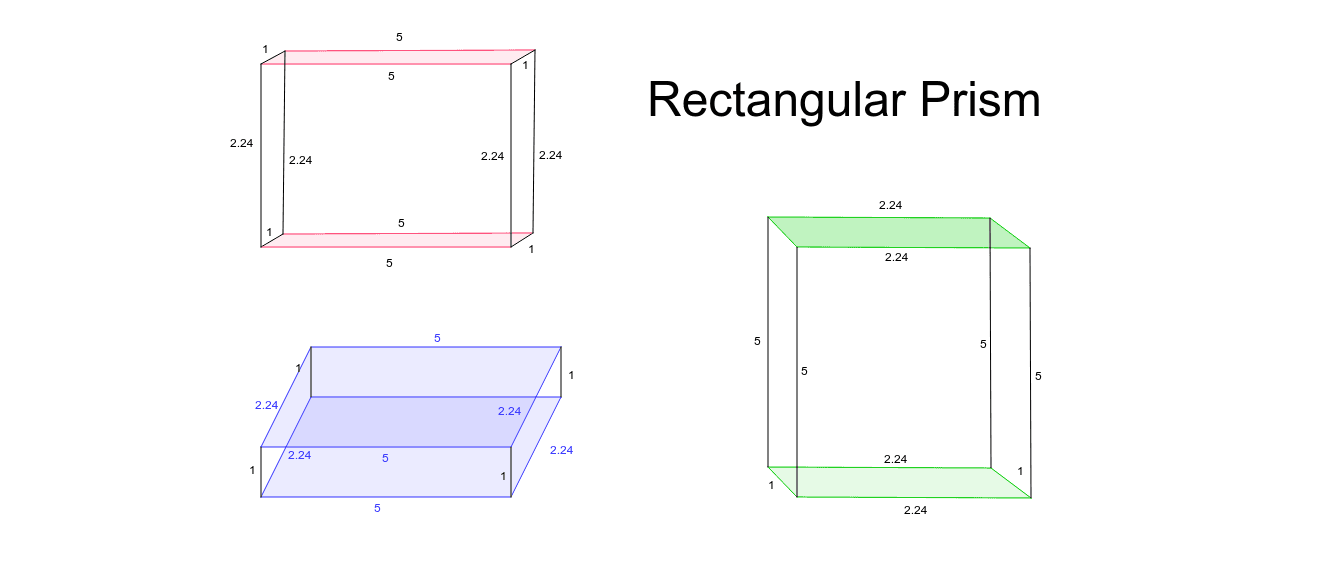
Constructing a Rectangular Prism
Loading the math board and drawing, please wait…
This example demonstrates how to construct a rectangular prism and its related geometric elements using GeoGebra. Key math concepts include solid geometry, vectors, points, lines, polygon construction, and intersection calculations. The construction involves commands like Polygon, Segment, Intersect, and Point, along with objects such as A, B, C, D, E, F, G, H for auxiliary purposes. It is suitable for high school geometry teaching or practice in geometric construction.
GeoGebra Commands & Parameters
Polygon(A, B, C, D) → poly1, a, b, c, dPolygon(E, F, G, H) → poly2, e, f, g, hSegment(F, C) → iSegment(G, B) → jSegment(H, A) → kIntersect(e, h) → IIntersect(c, d) → JSegment(I, J) → lPoint(Circle[K, 2.24]) → LPoint(Circle[L, 1]) → MPoint(Circle[M, 2.24]) → NPolygon(O, P, Q, R) → poly3, o, p, q, rPolygon(O_1, P_1, Q_1, R_1) → poly3_1, o_1, p_1, q_1, r_1Segment(P_1, P) → mSegment(Q_1, Q) → nSegment(O_1, O) → sSegment(R_1, R) → tSegment(T, U) → a_1Segment(T_1, U_1) → a_2Polygon(S, T, U, U_1) → poly4, s_1, t_1, u, u_1Segment(T_2, U_2) → a_3Polygon(S_1, T_2, U_2, U_3) → poly4_1, s_2, t_2, u_2, u_3Segment(U_2, T_2) → b_1Segment(U_3, S_1) → c_1Segment(S_1, S) → d_1Segment(U_3, U_1) → e_1Segment(U_2, U) → f_1Segment(T_2, T) → g_1Polygon(V, W, Z) → poly5, z_1, v, wPolygon(V_1, W_1, Z_1) → poly5_1, z_2, v_1, w_1Segment(W_1, W) → h_1Segment(Z_1, Z) → i_1Segment(V_1, V) → j_1Polygon(A_1, B_1, C_1) → poly6, c_2, a_4, b_2Polygon(A_2, B_2, C_2) → poly6_1, c_3, a_5, b_3Segment(C_1, C_2) → k_1Segment(B_1, B_2) → l_1Segment(A_1, A_2) → m_1