
Special Right Triangles by Chi Tran
Loading the math board and drawing, please wait…
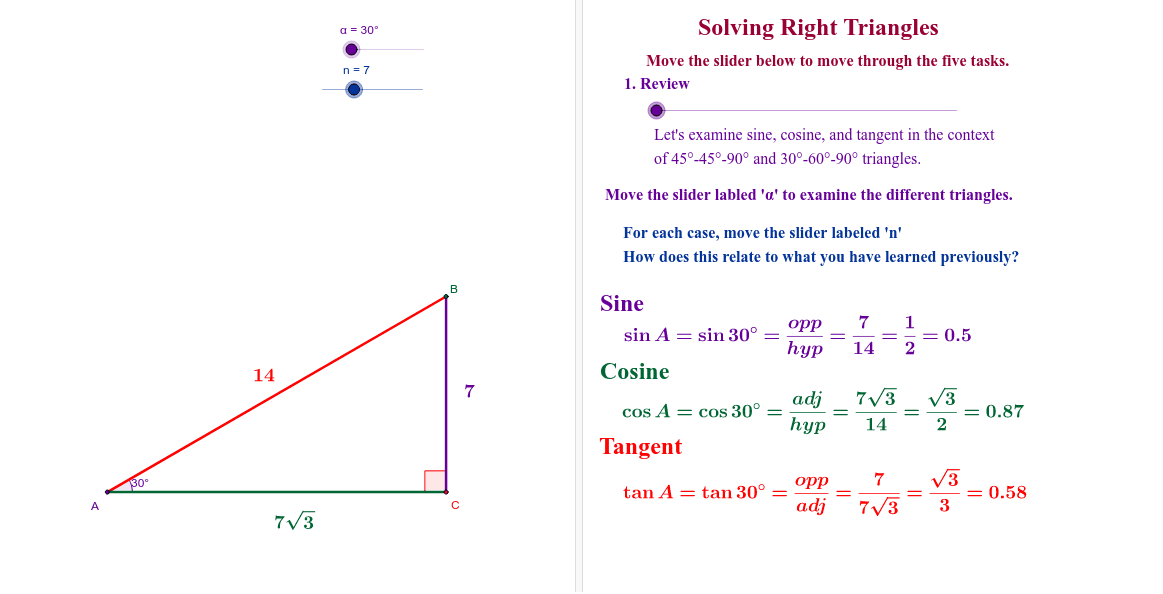
This example allows students to explore the properties of special right triangles and derive the inverse sine, cosine, and tangent functions through constructing the sides and angles of right triangles. Commands used include Intersect, Segment, Angle, Polygon, Midpoint, and Rotate. Suitable for middle and high school students learning trigonometry and geometric construction.
GeoGebra Commands & Parameters
Intersect(xAxis, yAxis) → ASegment(A, B) → c_2Segment(A, C) → b_2Segment(B, C) → a_2Angle(C, A, B) → βAngle(B, C, A) → δPolygon(G, H, I) → poly2, i_1, g_4, h_4Angle(I, H, G) → εPolygon(D, E, F) → poly1, f_1, d_1, e_1Angle(F, D, E) → γPolygon(J, K, 3) → poly3, j_1, k_2, l_2, LMidpoint(J, K) → MPolygon(K, M, L) → poly4, l_1, k_1, m_1Polygon(N, O, P) → poly5, p_1, n_1, o_1Angle(K, M, L) → ζAngle(N, O, P) → ηAngle(L, K, M) → θAngle(D, E, F) → ιPolygon(G_1, H_1, I_1) → poly2_1, i_2, g_5, h_5Angle(I_1, H_1, G_1) → ε_1Rotate(G_1, 90*°, Q) → RRotate(H_1, 90*°, Q) → SRotate(I_1, 90*°, Q) → TPolygon(R, S, T) → poly6, t_1, r_1, s_1Angle(T, S, R) → κSegment(U, V) → a_1Rotate(D, 180*°, W) → D'Rotate(E, 180*°, W) → E'Rotate(F, 180*°, W) → F'Polygon(D', E', F') → poly1', f', d', e'Angle(F', D', E') → λAngle(E', F', D') → μAngle(D', E', F') → νAngle(R, T, S) → ξAngle(S, R, T) → ο
AI Drawing Prompt Reference
Draw a right triangle ABC with A on the x-axis and B on the y-axis, where C is the right angle. Construct sides AB, AC, and BC, and measure angles B and C. Then construct an isosceles right triangle DEF with C as the right angle, rotate it 90 degrees to get RST, and construct another congruent triangle D'E'F' and rotate it 180 degrees.
The prompt above was compiled from the original drawing commands and is for reference only.