
Cone
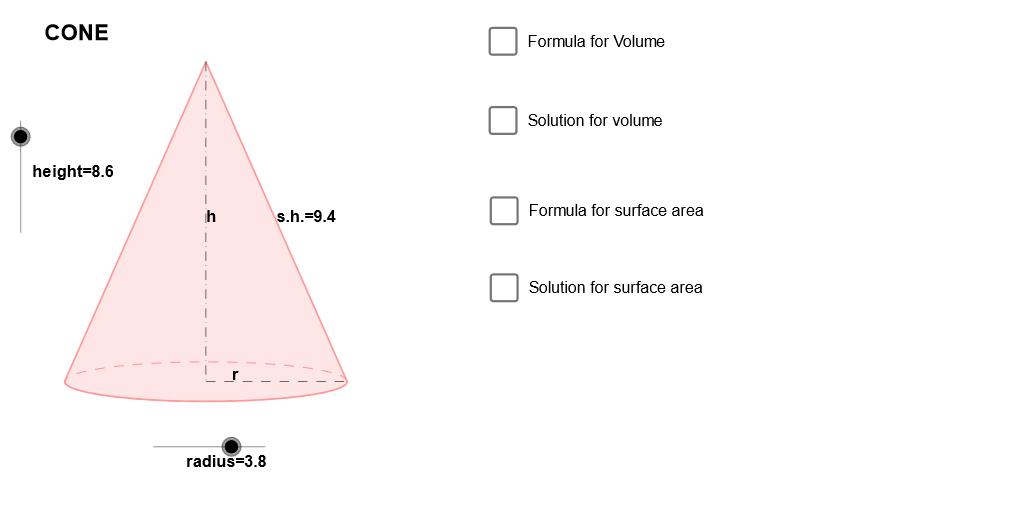
Loading the math board and drawing, please wait…
In collections
Prep mathematics
This example demonstrates the geometric construction and properties of a cone. The key mathematical concepts involved include cones, circles, vectors, transformations, and loci. The construction uses GeoGebra commands such as Dilate, Vector, Translate, Arc, Polygon, Segment, and Midpoint. It is suitable for middle or high school mathematics learning to understand solid geometry and geometric construction.
GeoGebra Commands & Parameters
Dilate(B, height, A) → CVector(A, C) → uTranslate(P, u) → EArc(c, 3.141592653589793, 0) → fPolygon(L, E, R) → Q, r_1, l, eSegment(E, P) → aSegment(P, R) → bMidpoint(E, P) → DMidpoint(P, R) → FMidpoint(E, R) → SMidpoint(a) → K
AI Drawing Prompt Reference
Create a geometric diagram illustrating a cone. Start from an existing circle and two given points that define the cone’s construction parameters. Perform a dilation to obtain a corresponding point used for the cone’s side geometry, then form a vector from the original base point to this dilated point. Translate a given point along this vector to place another key point that will lie on the cone’s outline. Using the given circle, draw an arc from the circle starting position through the specified angle range. Connect the translated point with the relevant arc endpoints to form the main polygonal boundary. Also draw the two line segments from the translated point to each endpoint, and compute midpoints of the involved segments to mark the auxiliary center/symmetry locations that support the cone’s construction and its key relations.
The prompt above was compiled from the original drawing commands and is for reference only.