
Circle Construction and Properties
Loading the math board and drawing, please wait…
In collections
Prep mathematics
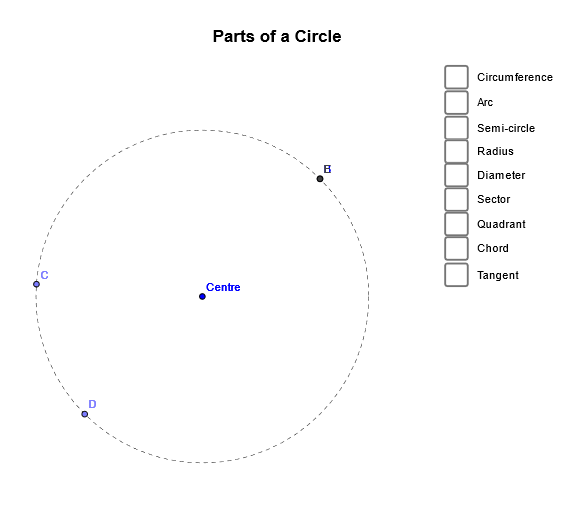
This example demonstrates how to construct a circle and its related geometric elements using GeoGebra. The key mathematical concepts include the definition of a circle, radius, center, arc, sector, etc. The construction involves commands such as Circle, Point, CircleArc, CircleSector, Segment, Mirror, Rotate, Angle, Intersect, and Tangent. It is suitable for middle or high school mathematics learning to understand the basic properties of circles and geometric construction techniques.
GeoGebra Commands & Parameters
Circle(Centre, B) → CirclePoint(Circle) → CCircleArc(Centre, B, C) → ArcPoint(Circle) → DCircleSector(Centre, B, D) → SemicircleSegment(Centre, C) → RadiusMirror(C, Centre) → C'Segment(C', C) → DiameterCircleSector(Centre, B, C) → SectorRotate(C, 270°, Centre) → C'_1CircleSector(Centre, C'_1, C) → QuadrantCircle(Centre, B) → hAngle(C'_1, Centre, C) → αPoint(Circle) → ASegment(C, A) → ChordIntersect(Circle, h, 1) → ETangent(C, Circle) → Tangent,
AI Drawing Prompt Reference
Draw a circle with center O and point B on its circumference. Then mark points C and D on the circle, and draw an arc and a semicircle with C and D as endpoints. Draw the line segment OC as the radius, and use point C to create the diameter by mirroring it. Draw a sector and a quarter circle with C as the starting point. Draw the diameter C'1 and rotate it 270 degrees to create a quarter circle. Mark point A on the circle and draw the chord OA. Finally, draw the tangent line at point C.
The prompt above was compiled from the original drawing commands and is for reference only.