
Comparing Size by Cut and Paste
Loading the math board and drawing, please wait…
In collections
P4 Area (I)
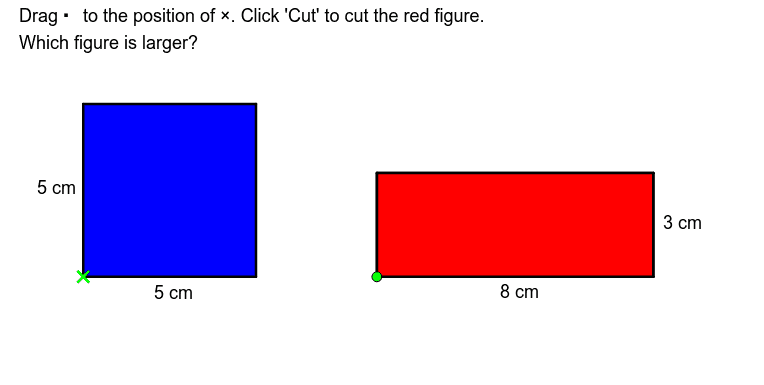
This example demonstrates how to compare the sizes of different shapes through cutting and pasting. Core math concepts involved include area, plane figures, rectangles, squares, symmetry, quadrilaterals, etc. The construction uses GeoGebra commands and objects like Polygon, If, Midpoint, and involves cutting and reassembling shapes to visually compare areas. Suitable for middle school and above mathematics education, helping students understand area calculation and geometric transformations.
GeoGebra Commands & Parameters
Polygon(A, (x(A) + 5, y(A)), (x(A) + 5, y(A) + 3), (x(A), y(A) + 3)) → poly3, a_1, h, i, jPolygon(C, (x(C) + 3, y(C)), (x(C) + 3, y(C) + 3), (x(C), y(C) + 3)) → poly4, c_1, k, l, mPolygon((x(A), y(A) + 3), (x(A) + 3, y(A) + 3), (x(A) + 3, y(A) + 5), (x(A), y(A) + 5)) → poly5, n, p, q, rPolygon(D, (x(D) + 3, y(D)), (x(D) + 3, y(D) + 1), (x(D), y(D) + 1)) → poly6, d_1, s, t, e_1Polygon((x(A) + 3, y(A) + 3), (x(A) + 5, y(A) + 3), (x(A) + 5, y(A) + 4), (x(A) + 3, y(A) + 4)) → poly7, f_1, g_1, h_1, i_1Polygon(E, (x(E) + 1, y(E)), (x(E) + 1, y(E) + 1), (x(E), y(E) + 1)) → poly8, e_2, j_1, k_1, l_1Polygon(A, (x(A) + 5, y(A)), (x(A) + 5, y(A) + 5), (x(A), y(A) + 5)) → poly1, a, b, c, dPolygon(B, (x(B) + 8, y(B)), (x(B) + 8, y(B) + 3), (x(B), y(B) + 3)) → poly2, b_1, e, f, gPolygon((7.5, -4), (15.5, -4), (15.5, -1), (7.5, -1)) → poly9, m_1, n_1, p_1, q_1If(E ≟ H, true, false) → 返回原位Polygon(A1, (x(A1) + 5, y(A1)), (x(A1) + 5, y(A1) + 3), (x(A1), y(A1) + 3)) → poly10, a1, r_1, s_1, t_1Polygon(A2, (x(A2) + 3, y(A2)), (x(A2) + 3, y(A2) + 2), (x(A2), y(A2) + 2)) → poly11, a2, a_2, b_2, c_2Polygon(A3, (x(A3) + 2, y(A3)), (x(A3) + 2, y(A3) + 1), (x(A3), y(A3) + 1)) → poly12, a3, d_2, f_2, g_2Polygon(A4, (x(A4) + 1, y(A4)), (x(A4) + 1, y(A4) + 1), (x(A4), y(A4) + 1)) → poly13, a4, h_2, i_2, j_2Midpoint(a) → JMidpoint(m_1) → KMidpoint(n_1) → LMidpoint(d) → I
AI Drawing Prompt Reference
Draw a geometric illustration showing how to compare the sizes of different shapes by cutting and pasting. Include multiple rectangles and squares, visually comparing their areas through cutting and reassembling the shapes. The illustration should demonstrate symmetry and quadrilateral properties, suitable for middle school and above mathematics education to help students understand area calculation and geometric transformations.
The prompt above was compiled from the original drawing commands and is for reference only.