
Comparing Fractions by Gareth Daniels
Loading the math board and drawing, please wait…
In collections
Primary School Mathematics Collection
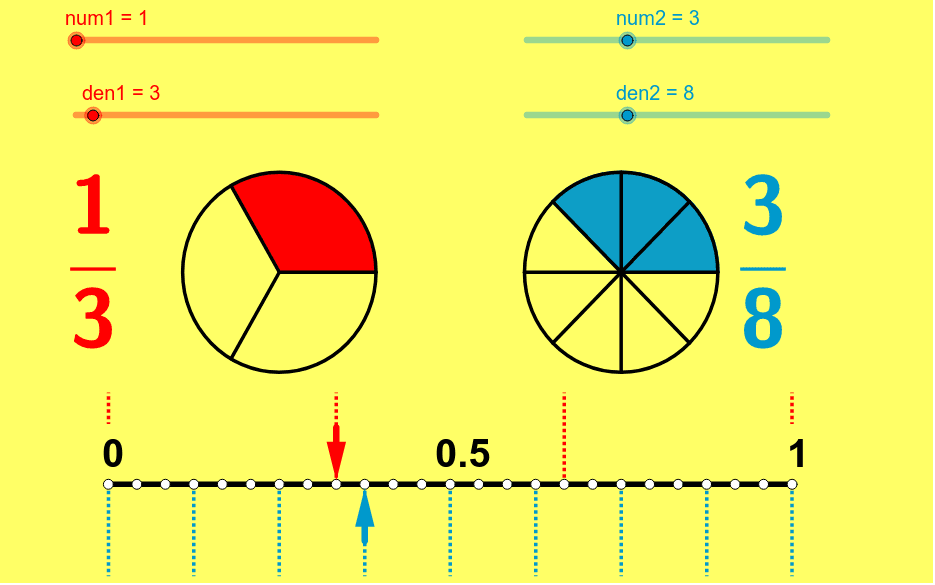
This example demonstrates how to visually compare and order fractions. Core math concepts include fraction comparison, numerators and denominators, and equivalent fractions. It is constructed using GeoGebra commands/objects like Sequence, CircleSector, Segment, Vector, and LCM. Suitable for middle school mathematics teaching to help students intuitively understand the relationships between fraction sizes.
GeoGebra Commands & Parameters
Sequence((sqrt(2) * cos(i * 360 * ° / den1) + x(B), sqrt(2) * sin(i * 360 * ° / den1) + y(B)), i, 1, den1) → leftptsSequence((sqrt(2) * cos(i * 360 * ° / den2) + x(A), sqrt(2) * sin(i * 360 * ° / den2) + y(A)), i, 1, den2) → rightptsSequence(Segment[B, Element[leftpts, i]], i, 1, den1) → segleftSequence(Segment[A, Element[rightpts, i]], i, 1, den2) → segrightCircleSector(B, Element[leftpts, den1], Element[leftpts, num1]) → eCircleSector(A, Element[rightpts, den2], Element[rightpts, num2]) → fSegment(D, C) → aVector(F, E) → uVector(G, H) → vSequence((-5 + i * 10 / den1, 0), i, 0, den1) → list1Sequence((-5 + i * 10 / den1, 1.3), i, 0, den1) → list2Sequence(Segment[Element[list1, i], Element[list2, i]], i, 1, den1 + 1) → list3Sequence((-5 + i * 10 / den2, 0), i, 0, den2) → list4Sequence((-5 + i * 10 / den2, -1.3), i, 0, den2) → list5Sequence(Segment[Element[list4, i], Element[list5, i]], i, 0, den2 + 1) → list6LCM(den1, den2) → bSequence((-5 + i * 10 / b, 0), i, 0, b) → list7
AI Drawing Prompt Reference
Create a geometric construction to visually compare fractions, divided into left and right sections. The left side features multiple line segments and sectors radiating from a point, while the right side is a mirror image. Below, two horizontal line segments are connected by arrows. The sectors on the left and right represent different fractions, with their sizes indicating the comparison. The construction sequence involves drawing the line segments and sectors first, then the horizontal lines and arrows, followed by adjustments for position and proportion.
The prompt above was compiled from the original drawing commands and is for reference only.