
Combining Adjacent Intervals in Definite Integrals
Loading the math board and drawing, please wait…
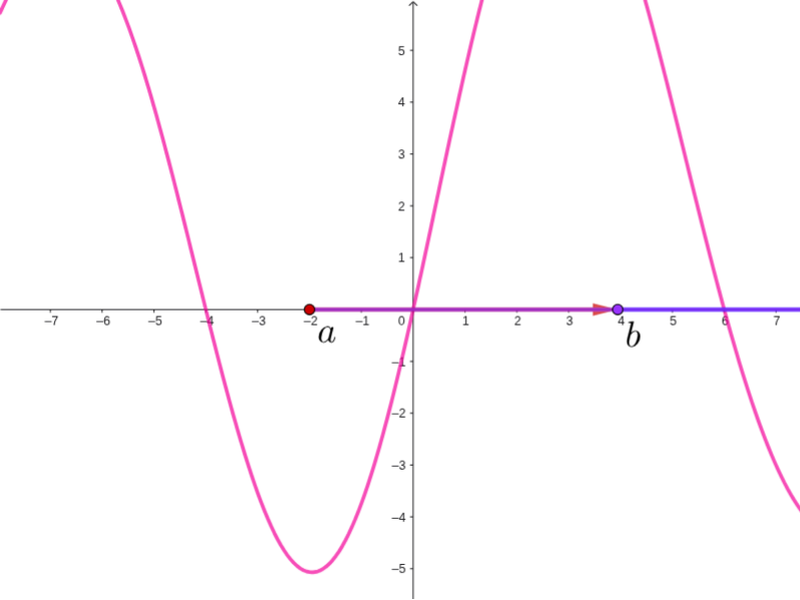
This example demonstrates how to combine adjacent intervals of definite integrals using GeoGebra for unified calculation. Key math concepts include definite integrals, limits, and vector operations. Construction highlights involve using Point commands for key points, Integral commands for plotting integral regions, and Vector commands for vector representation. Suitable for high school and above students to learn and understand definite integral calculation methods and geometric interpretations.
GeoGebra Commands & Parameters
Point(xAxis) → aPoint(xAxis) → bIntegral(f, x(a), x(b)) → APoint(xAxis) → cIntegral(f, x(b), x(c)) → BIntegral(f, x(a), x(c)) → CVector(a, b) → uVector(b, c) → vVector(a, c) → w
AI Drawing Prompt Reference
Draw the graph of function f in a coordinate system, mark two points a and b on the x-axis, and calculate the definite integral regions from a to b and from b to c, then plot these regions. Next, mark a point c on the x-axis, calculate the definite integral region from a to c, and finally, draw vectors from a to b, from b to c, and from a to c to show their relationships.
The prompt above was compiled from the original drawing commands and is for reference only.