
Clock Model
Loading the math board and drawing, please wait…
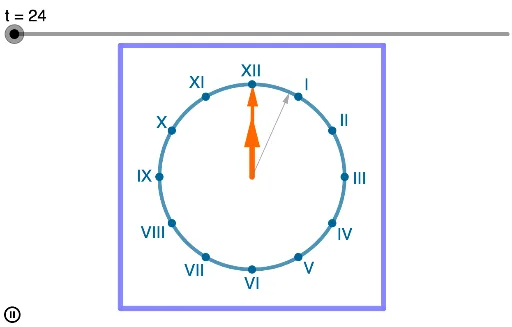
This example dynamically demonstrates the motion relationship between the hour, minute, and second hands of a clock, visually showing the connection between angle changes and the passage of time. Core mathematical concepts include angles, vectors, polygon construction, reflection transformations, etc. Key GeoGebra commands used in construction are Intersect, Circle, Vector, Point, Mirror, and Polygon. Suitable for high school mathematics teaching to understand the application of trigonometric functions and geometric transformations in clock design.
GeoGebra Commands & Parameters
Intersect(xAxis, yAxis) → ACircle(A, 3) → cVector(A, M) → uVector(A, H) → vPoint(f) → BMirror(B, yAxis) → B'Polygon(B, B', 4) → poly1, g, h, i, j, C, DVector(A, S) → w
AI Drawing Prompt Reference
Draw a clock model to demonstrate the motion relationship between the hour, minute, and second hands, using circles and quadrilaterals to construct the positions of the hour and minute hands, reflecting their endpoints for symmetry, and representing the lengths of the hour and second hands with vectors, dynamically showing the connection between angle changes and time passage.
The prompt above was compiled from the original drawing commands and is for reference only.