
Circumsphere of a Tetrahedron
Loading the math board and drawing, please wait…
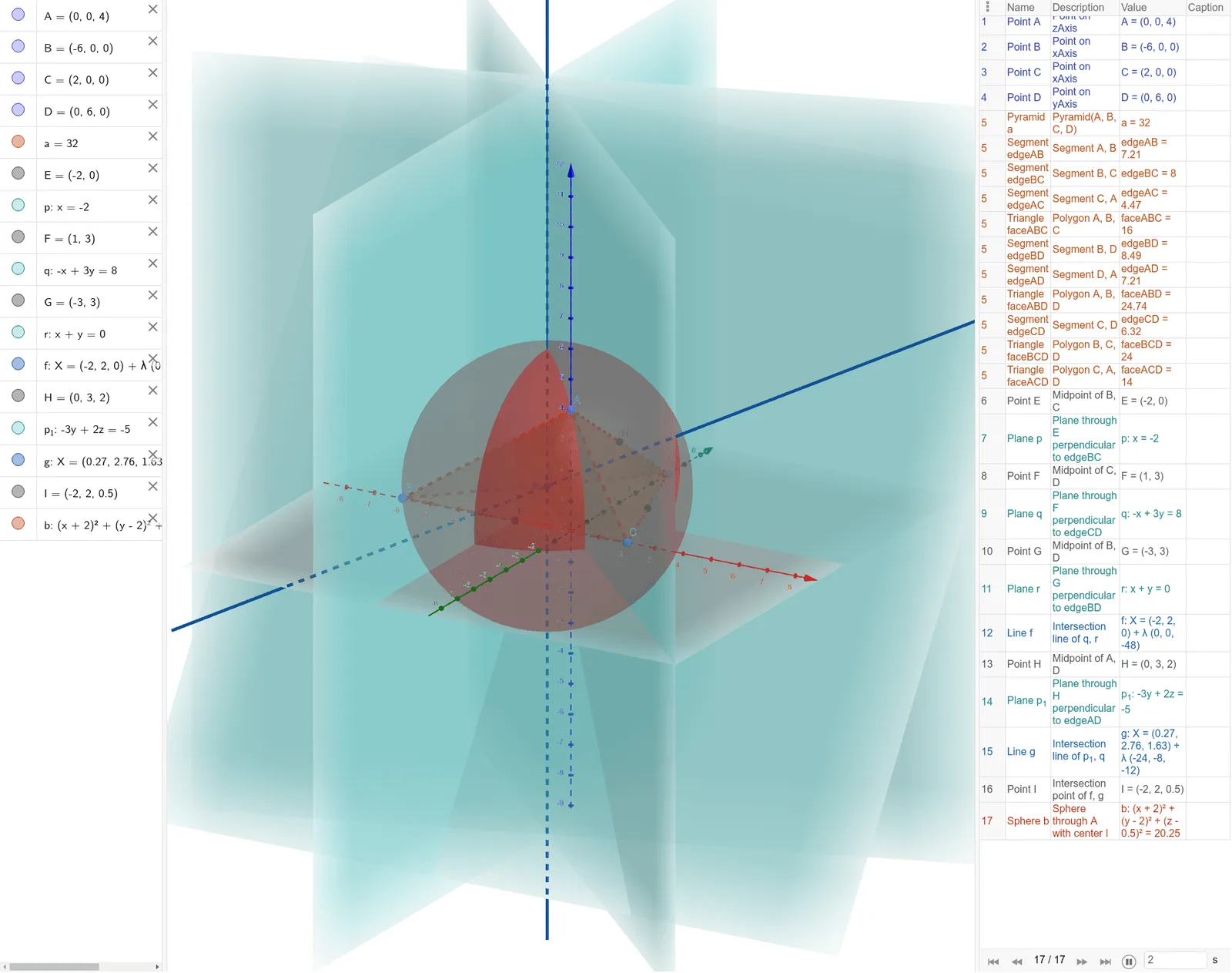
This example demonstrates the circumsphere of a tetrahedron. Key mathematical concepts include solid geometry and spheres. Using GeoGebra commands such as Point, Pyramid, Midpoint, OrthogonalPlane, IntersectPath, Intersect, and Sphere, the circumsphere of a tetrahedron can be constructed. Suitable for high school and above students or teachers.
GeoGebra Commands & Parameters
Point(zAxis) → APoint(xAxis) → BPoint(xAxis) → CPoint(yAxis) → DPyramid(A, B, C, D) → a, faceABC, edgeCD, faceABD, faceBCD, faceACD, edgeAB, edgeBC, edgeAC, edgeAD, edgeBDMidpoint(B, C) → EOrthogonalPlane(E, edgeBC) → pMidpoint(C, D) → FOrthogonalPlane(F, edgeCD) → qMidpoint(B, D) → GOrthogonalPlane(G, edgeBD) → rIntersectPath(q, r) → fMidpoint(A, D) → HOrthogonalPlane(H, edgeAD) → p_1IntersectPath(p_1, q) → gIntersect(f, g) → ISphere(I, A) → b
AI Drawing Prompt Reference
Draw the circumsphere of a tetrahedron. Start by placing four points A, B, C, and D on the coordinate axes to form a tetrahedron. Then find the midpoints E, F, and G of edges BC, CD, and BD, and construct planes perpendicular to these edges. Find the intersection line f of planes p and q, and the intersection line g of planes q and p_1. The intersection point I of lines f and g is the center of the circumsphere. Finally, draw the circumsphere b with I as the center and A as the radius.
The prompt above was compiled from the original drawing commands and is for reference only.