
Simultaneous Construction of Four Ellipses
Loading the math board and drawing, please wait…
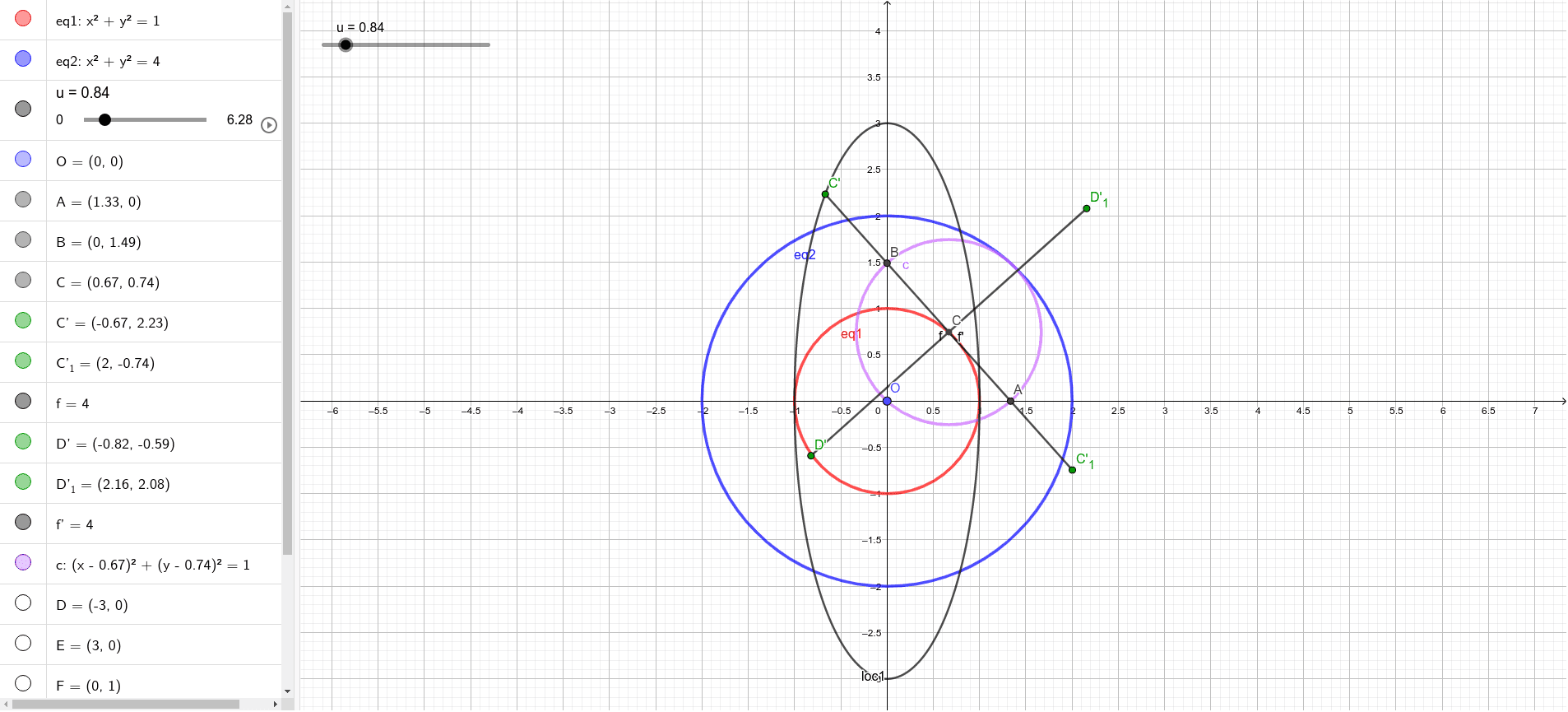
This example demonstrates how to construct four ellipses in the same GeoGebra workspace simultaneously, using symmetry-based constraints so that the resulting conics share an underlying geometric structure. It centers on conic sections—specifically ellipses—along with geometric transformations (mirroring and rotation), intersection-based construction, and the way GeoGebra derives a conic from specified conditions (via the Conic command). Key construction ideas: Midpoint is used to compute key reference points; Mirror and Rotate generate related configurations; Segment, Circle, and Point build the prerequisite geometry; Intersect locates critical points to parameterize constraints; Conic then produces the ellipse equations/objects (e.g., eq1, eq2 and conic objects like c, d); and Locus helps visualize the curve set associated with a parameterized construction (such as loc1 and related functions/constructors like f, f'). Suitable for secondary to early tertiary learners studying conics, geometry construction, and dynamic/constraint-driven modeling in GeoGebra.
GeoGebra Commands & Parameters
Midpoint(A, B) → CMirror(C, B) → C'Mirror(C, A) → C'_{1}Segment(C', C'_{1}) → fRotate(C', 90°, C) → D'Rotate(C'_{1}, 90°, C) → D'_1Segment(D', D'_1) → f'Circle(C, A) → cPoint(xAxis) → DPoint(xAxis) → EIntersect(eq1, yAxis, 2) → FIntersect(eq1, yAxis, 1) → GConic(D, F, H, E, G) → dLocus(C', u) → loc1
AI Drawing Prompt Reference
Construct four ellipses in the same workspace using symmetry constraints, sharing a geometric structure. First, calculate key reference points using the midpoint. Then, generate related configurations via mirroring and rotation. Next, build prerequisite geometry with line segments, circles, and points. Based on intersection, locate critical points to parameterize constraints. Finally, generate ellipse equations and objects using the Conic command, and visualize curve sets with Locus.
The prompt above was compiled from the original drawing commands and is for reference only.