
Fractal Geometry via Iteration and a Custom Tool (Floch Style)
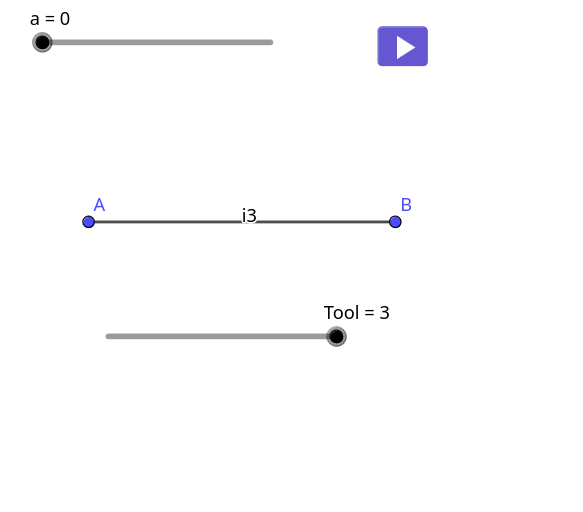
Loading the math board and drawing, please wait…
This example demonstrates how repeatedly applying a geometric construction—segment rotation followed by joining—produces a Floch-style fractal figure. The central math ideas are geometric transformations (Rotate), iterative construction (Iteration), recursion-like rule application, and the way a boundary curve emerges from concatenating many line segments (PolyLine, Join). Construction-wise, it starts by creating base segments and key points (e.g., objects A, B, and related parameters). A custom tool/iteration rule is then applied to generate transformed copies of segments step-by-step. Flatten is used to collect and organize the generated objects across iteration levels, PolyLine and Join assemble the pieces into a continuous polyline shape, and Unique removes duplicates. The workflow is organized through a user-defined Tool and dedicated input/output objects (e.g., lTool1, lInputTool3, l1OutputTool*), making the iteration behavior controllable. Suitable for secondary school enrichment and introductory university activities on transformation geometry, sequences/iteration, and fractal visualization.
GeoGebra Commands & Parameters
Segment(A, B) → fRotate(B, ((-pi)) / 3, A) → CSegment(B, C) → gSegment(C, A) → hIteration(Zip[{Vertex[n, 1], Vertex[n, 2]}, n, Tool1[m]], m, {{{A, B}}}, a) → lTool1Flatten(Zip[{Dilate[Segment[Element[k, 1], Element[k, 2]], 1 / 3, Element[k, 1]], Translate[Rotate[Dilate[Segment[Element[k, 1], Element[k, 2]], 1 / 3, Element[k, 1]], pi / 3, Element[k, 1]], Vector[(1 / 3 * Vector[Element[k, 1], Element[k, 2]])]], Translate[Rotate[Dilate[Segment[Element[k, 1], Element[k, 2]], 1 / 3, Element[k, 2]], ((-pi)) / 3, Element[k, 2]], Vector[(1 / 3 * Vector[Element[k, 2], Element[k, 1]])]], Dilate[Segment[Element[k, 1], Element[k, 2]], 1 / 3, Element[k, 2]]}, k, m1InputTool12]) → l1OutputToolPolyLine(Unique[Flatten[lTool1]]) → i1Join(Zip[{{Element[k, 1], (2 / 3 * Element[k, 1]) + (1 / 3 * Element[k, 2])}, {(2 / 3 * Element[k, 1]) + (1 / 3 * Element[k, 2]), Rotate[(1 / 3 * Element[k, 1]) + (2 / 3 * Element[k, 2]), pi / 3, (2 / 3 * Element[k, 1]) + (1 / 3 * Element[k, 2])]}, {Rotate[(1 / 3 * Element[k, 1]) + (2 / 3 * Element[k, 2]), pi / 3, (2 / 3 * Element[k, 1]) + (1 / 3 * Element[k, 2])], (1 / 3 * Element[k, 1]) + (2 / 3 * Element[k, 2])}, {(1 / 3 * Element[k, 1]) + (2 / 3 * Element[k, 2]), Element[k, 2]}}, k, (m1InputTool12 * 1)]) → l1OutputTool2Iteration(Tool2[m], m, {{{A, B}}}, a) → lTool2PolyLine(Unique[Flatten[lTool2]]) → i2Unique(Flatten[Sequence[{Element[lInputTool3, i], (2 / 3 * Element[lInputTool3, i]) + (1 / 3 * Element[lInputTool3, i + 1]), Rotate[(1 / 3 * Element[lInputTool3, i]) + (2 / 3 * Element[lInputTool3, i + 1]), pi / 3, (2 / 3 * Element[lInputTool3, i]) + (1 / 3 * Element[lInputTool3, i + 1])], (1 / 3 * Element[lInputTool3, i]) + (2 / 3 * Element[lInputTool3, i + 1]), Element[lInputTool3, i + 1]}, i, 1, Length[lInputTool3] - 1]]) → l1OutputTool3Iteration(Tool3[m], m, {{A, B}}, a) → lTool3PolyLine(lTool3) → i3
AI Drawing Prompt Reference
Start with two given points and construct a base segment. Rotate the segment’s endpoint around the first point by ±120° to create new points, then draw the connecting segments so the three pieces meet into a core, with a scaling factor of 1/3. Next, apply an iterative construction rule: repeatedly scale each current segment by 1/3, rotate it by ±120° about the appropriate endpoint, and translate it so the transformed copies fit together. Concatenate all generated pieces as a continuous polyline and remove duplicate elements, yielding a Koch/Floch-style fractal boundary formed by many rotated segment copies.
The prompt above was compiled from the original drawing commands and is for reference only.