
Two Linear Motions Generate 8 Ellipses
Loading the math board and drawing, please wait…
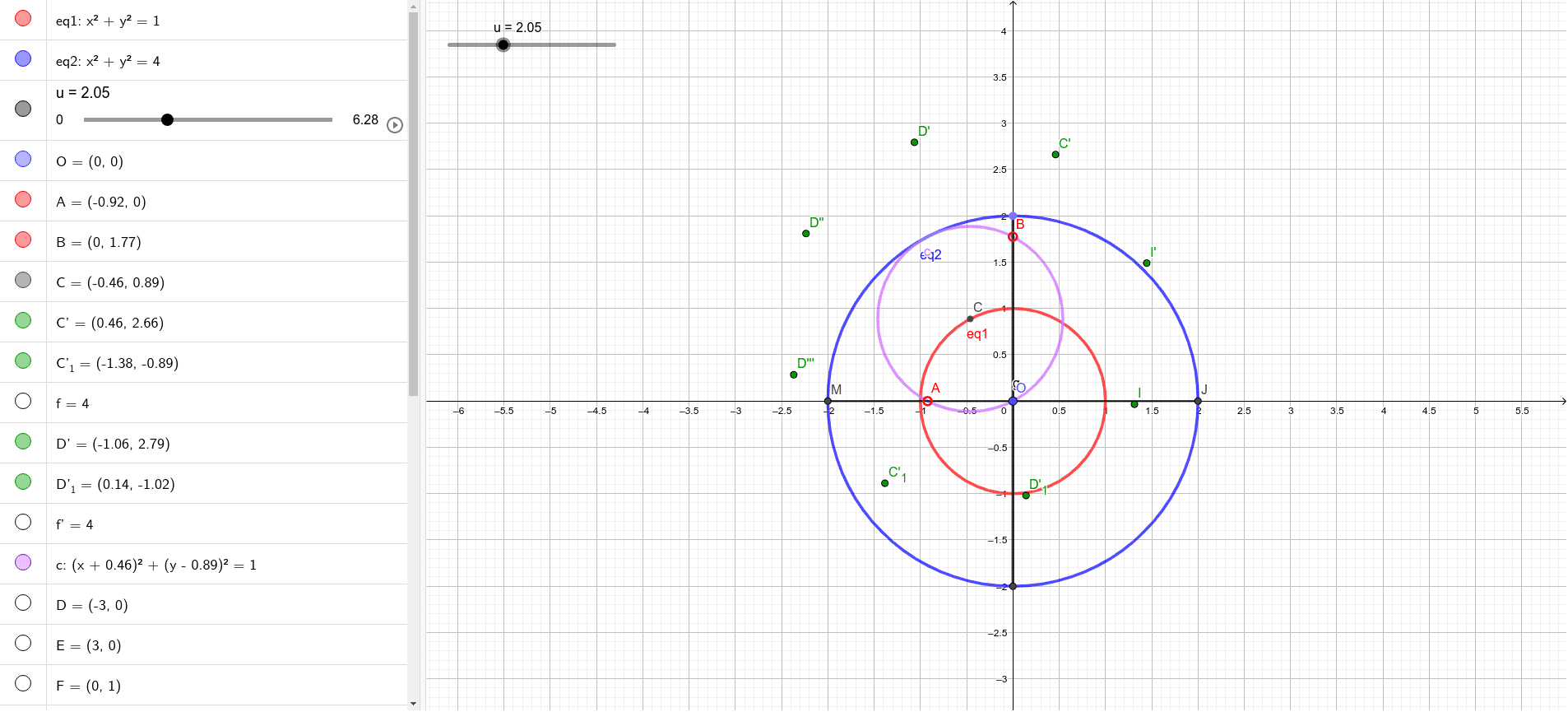
This example demonstrates how combining two linear motions/linear constructions can systematically produce and display eight ellipses with clear symmetry and structural relationships. The key mathematics includes conic sections—especially ellipses—as well as geometric transformations such as reflection (mirror) and rotation. The construction relies on how intersections and constraints defined by circles and segments determine ellipse-related curves. In GeoGebra, the build uses Midpoint to create key reference points, Mirror to reflect configurations, Segment and Point to form the foundational geometry, Rotate to move/rotate the configuration to new symmetric positions, Circle to define circular constraints, and Intersect to compute crucial intersection points. The workflow builds multiple intermediate objects (e.g., eq1/eq2, control points like O, A, B, C and their transformed variants such as C′, D′, I′, and curve-defining objects like c and f′/f″) that collectively yield the eight-ellipse set. Suitable for high school through early undergraduate instruction in geometry, conic sections, and dynamic geometric construction.
GeoGebra Commands & Parameters
Midpoint(A, B) → CMirror(C, B) → C'Mirror(C, A) → C'_{1}Segment(C', C'_{1}) → fRotate(C', 45°, C) → D'Rotate(C'_{1}, 45°, C) → D'_1Segment(D', D'_1) → f'Circle(C, A) → cPoint(xAxis) → DPoint(xAxis) → EIntersect(eq1, yAxis, 2) → FIntersect(eq1, yAxis, 1) → GRotate(D', 45°, C) → D''Rotate(D'_1, 45°, C) → ISegment(D'', I) → f''Rotate(D'', 45°, C) → D'''Rotate(I, 45°, C) → I'Segment(D''', I') → f'''Intersect(eq2, xAxis, 2) → JIntersect(eq2, yAxis, 1) → KPoint(eq2) → LSegment(K, L) → hIntersect(eq2, xAxis, 1) → MSegment(J, M) → g
AI Drawing Prompt Reference
In a coordinate plane, construct two related geometric configurations constrained by circles and intersections with coordinate axes. Start by defining a pair of key points, then produce mirrored counterparts and connect the corresponding points with reference segments. Using the same pivot point, rotate the setup by 45 degrees repeatedly to generate the rotated point pairs, and connect each pair to form additional reference lines. Build two ellipse-related curve constraints from the circle through the pivot and a second point, and compute intersection points between the curve constraints and the x- and y-axes. Use the resulting intersection points together with the corresponding constructed points to form segments that determine eight ellipse arcs/ellipse curves with clear rotational and mirror symmetry, matching the structural relationships between the rotated copies.
The prompt above was compiled from the original drawing commands and is for reference only.