
Offsets of an Astroid and Talbot Curves via GeoGebra Construction
Loading the math board and drawing, please wait…
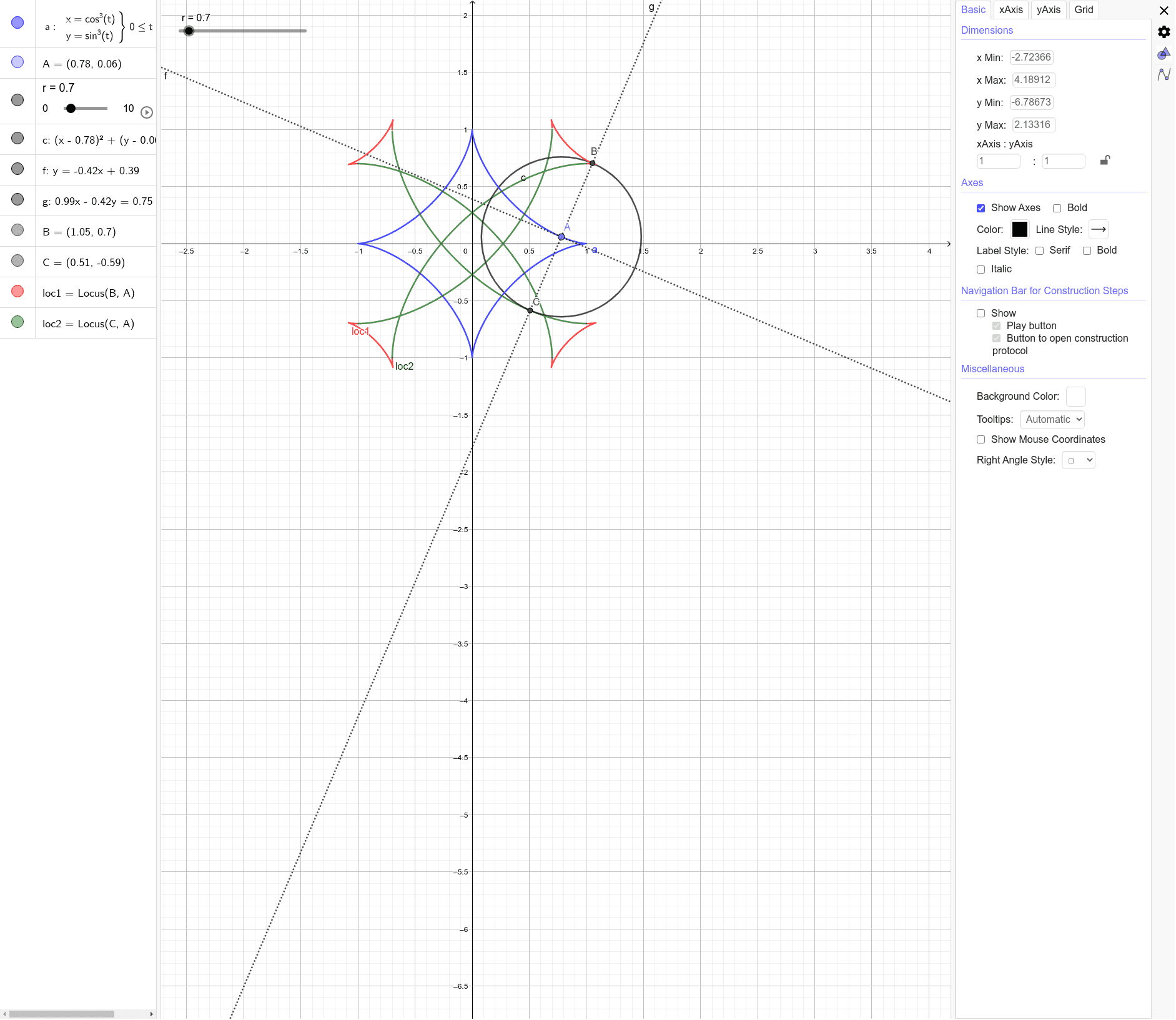
This example demonstrates how the offset (parallel) curves of an astroid can be constructed and visualized, revealing geometric behavior tied to Talbot curves. The key ideas include planar curve offsets, the relationship between a curve and its tangent/normal directions, and the use of locus to trace the resulting envelope-like curves as the generating point moves. Construction workflow in GeoGebra: CurveCartesian for the base curve, Point and Circle to define moving/fixed geometric elements, Tangent to compute the tangent line, OrthogonalLine to enforce the perpendicular (normal) condition, Intersect to determine where the auxiliary lines meet to locate the offset points, and Locus to trace loc1 and loc2 as parameter-dependent trajectories. The listed objects (a, A, r, c, f, g, B, C, loc1, loc2) reflect the pipeline from local differential geometry constraints (tangency and orthogonality) to the global offset curves. Suitable for advanced high school/early university topics such as coordinate geometry, parametric/implicit curve sketching, and dynamic geometric construction.
GeoGebra Commands & Parameters
CurveCartesian((cos(t))^(3), (sin(t))^(3), t, 0, (2 * π)) → aPoint(a) → ACircle(A, r) → cTangent(A, a) → fOrthogonalLine(A, f) → gIntersect(c, g) → B, CLocus(B, A) → loc1Locus(C, A) → loc2
AI Drawing Prompt Reference
Draw a graph of offset curves of an astroid. Include an astroid curve, a circle, a tangent line, and a perpendicular line to determine offset points. Then, trace these points using locus to form two curves.
The prompt above was compiled from the original drawing commands and is for reference only.