
Circles in a Hexagon Pattern
Loading the math board and drawing, please wait…
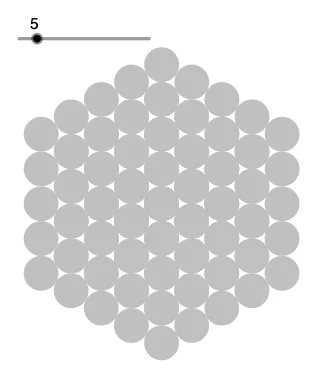
This example demonstrates a dynamic growing pattern of circles within a hexagon. Key mathematical concepts include circles, vectors, and geometric construction. Using GeoGebra commands such as Circle, Point, Vector, Intersect, and Sequence, the dynamic generation and display of these circles are shown. Suitable for middle school and above students or math enthusiasts to explore the dynamic changes in geometric shapes.
GeoGebra Commands & Parameters
Circle(A, B) → cPoint(c) → IPoint(c) → HPoint(c) → CPoint(c) → DVector(C, D) → uIntersect(c, yAxis, 1) → EVector(I, H) → vPoint(c) → FPoint(c) → GVector(F, G) → wSequence(Translate[c, Vector[(k * u)]], k, 1, n) → l1Sequence(Translate[l1, Vector[(k * v)]], k, 1, n) → l2Sequence(Translate[l2, Vector[(k * w)]], k, 1, n) → l3
AI Drawing Prompt Reference
Draw a circle and place six points on it. Use two points to define a vector, another two to define a second vector, and the remaining two to define a third vector. Take the intersection of the circle with the vertical axis as a reference. Then translate the circle repeatedly along the first vector to create a row of circles. Translate this entire row along the second vector to form a grid of circles. Finally, translate the whole grid along the third vector to produce a growing pattern of circles arranged in a hexagonal layout.
The prompt above was compiled from the original drawing commands and is for reference only.