
Visual Patterns 168: Dynamic Linear Sequences and Geometric Transformations
Loading the math board and drawing, please wait…
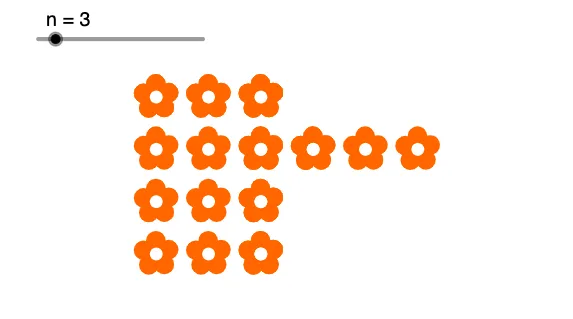
① This example demonstrates a dynamic visual pattern composed of polygons, circles, segments, and vectors, showing regular geometric changes through sequences and translations. ② Core mathematical concepts include linear functions, sequences and series, geometric constructions (polygons, centroid, circles), coordinate geometry, and reflection, integrating algebra with geometry. ③ Construction highlights: using GeoGebra commands such as Polygon, Centroid, Circle, Segment, Intersect, Vector, Translate, and Sequence, it creates multiple objects (e.g., A, B, poly1, f, g, h) and generates repeating patterns via translation and sequence, involving interactions among points, lines, circles, and vectors. ④ Suitable for middle school to early college students, this example is useful for exploring visual patterns, sequence rules, and geometric transformations, and can serve as material for mathematical experiments or art-mathematics, helping visualize abstract concepts.
GeoGebra Commands & Parameters
Polygon(A, B, 5) → poly1, f, g, h, i, j, C, D, ECentroid(poly1) → FCircle(F, G) → cSegment(F, B) → kSegment(F, C) → lSegment(F, D) → mSegment(F, E) → n_1Segment(F, A) → pIntersect(c, n_1, 1) → HIntersect(c, m, 1) → IIntersect(c, l, 1) → JIntersect(c, k, 1) → KIntersect(c, p, 1) → LCircle(A, L) → dCircle(B, K) → eCircle(C, J) → qCircle(D, I) → rCircle(E, H) → sIntersect(r, s) → M, N, ,Circle(F, M) → tVector(O, P) → uTranslate(l1, u) → l1'Translate(t, u) → t'Translate(l1', u) → l1''Translate(t', u) → t''Translate(l1'', u) → l1'''Translate(t'', u) → t'''Vector(Q, R) → vTranslate(l1', v) → l1''_1Translate(t', v) → t''_1Sequence(Translate[l1''_1, Vector[((k - 1) * v)]], k, 1, n) → l4Sequence(Translate[l2, Vector[((1 - k) * v)]], k, 1, n) → l3Sequence(Translate[t''_1, Vector[((k - 1) * v)]], k, 1, n) → l5Sequence(Translate[l6, Vector[((1 - k) * v)]], k, 1, n) → l7
AI Drawing Prompt Reference
Create a dynamic geometric pattern with multiple polygons, circles, and segments. Start by drawing a pentagon, then find its centroid and use it as the center to draw a circle. Draw line segments from the centroid to each vertex of the pentagon and find their intersections with the circle, using these points as centers to draw more circles. Use translations and rotations of these circles and segments to generate a series of repeating patterns. Finally, use vectors to create a series of translation transformations, forming dynamic line segments.
The prompt above was compiled from the original drawing commands and is for reference only.