
Circular Orbits
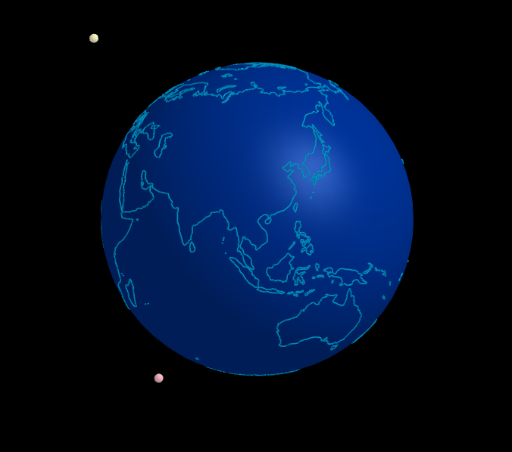
Loading the math board and drawing, please wait…
In collections
The Domain of the Time (intuitive kinematics)
This example demonstrates the circular orbits of celestial bodies. It involves the geometric properties of circles and vector concepts. Using GeoGebra commands such as Sphere, Line, and Circle, the formation of the orbit can be dynamically shown. Suitable for high school and above students to learn about celestial motion and vector geometry.
GeoGebra Commands & Parameters
Sphere((0, 0, 0), (0.999 * 5)) → tierraLine(Tierra, Rotate[(5; 0°; 90°), α1, Line[Tierra, (d1; 0°; 0°)]]) → axis1Circle(Tierra, d1, axis1) → c1Line(Tierra, Rotate[(5; 90°; 90°), α2, Line[Tierra, (d2; 90°; 0°)]]) → axis2Line(Tierra, Rotate[(5; 300°; 90°), α3, Line[Tierra, (d2; 300°; 0°)]]) → axis3Circle(Tierra, d2, axis2) → c2Circle(Tierra, d3, axis3) → c3
AI Drawing Prompt Reference
Draw a diagram representing the orbits of celestial bodies. The diagram should include a central point and several circles around it. The circles should be spaced appropriately and maintain their relative positions. The construction order should start from the central point, then draw the circles, and finally ensure they appear as orbits visually.
The prompt above was compiled from the original drawing commands and is for reference only.