
Circle on the 45 Degree Cone
Loading the math board and drawing, please wait…
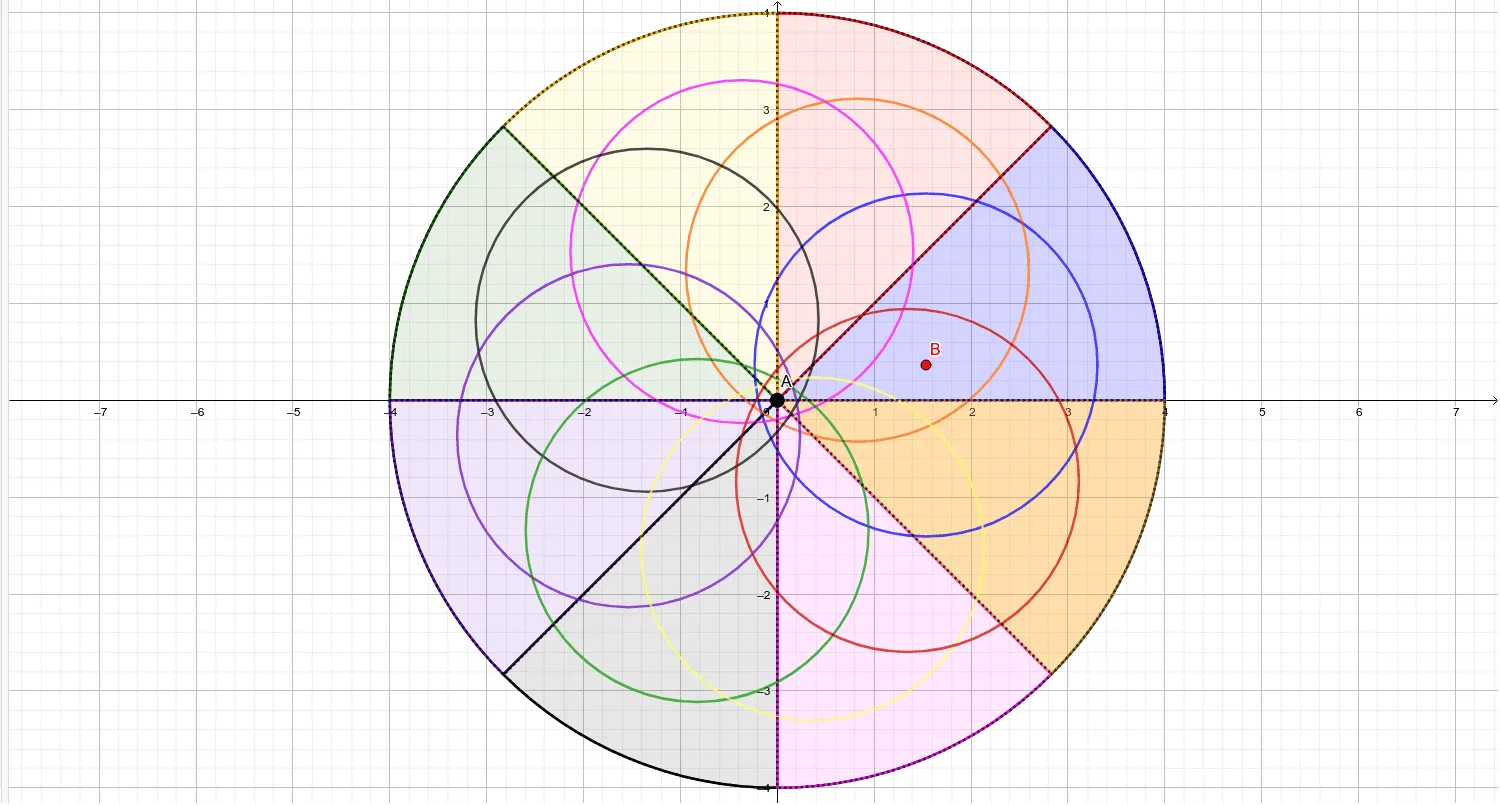
This example demonstrates the geometric properties of a circle formed on the surface of a 45-degree cone. It involves core mathematical concepts such as cones, circles, linear equations, real numbers, right triangles, median lines, and translations. The construction utilizes GeoGebra commands and objects like Intersect, Circle, Line, Rotate, CircleSector, Point, and Segment. It is suitable for high school students studying solid geometry and analytical geometry, helping them understand the generation and properties of spatial geometric figures.
GeoGebra Commands & Parameters
Intersect(xAxis, yAxis) → ACircle(A, B_1) → cIntersect(c, yAxis, 2) → CIntersect(c, yAxis, 1) → DIntersect(c, xAxis, 1) → ELine(F, D) → fLine(E, B_1) → gRotate(f, 45°, (0, 0)) → f'Rotate(g, 45°, (0, 0)) → g'Intersect(c, g', 2) → GCircleSector(A, B_1, G) → dCircleSector(A, G, C) → eIntersect(c, f', 1) → HCircleSector(A, C, H) → hCircleSector(A, H, E) → kIntersect(c, g', 1) → ICircleSector(A, E, I) → pCircleSector(A, I, D) → qIntersect(c, f', 2) → JCircleSector(A, D, J) → rCircleSector(A, J, B_1) → sIntersect(d, k) → K, , ,Point(e) → LPoint(q) → MSegment(L, M) → iPoint(k) → NPoint(s) → OSegment(N, O) → jPoint(h) → PPoint(r) → QSegment(P, Q) → lPoint(p) → RPoint(s) → SSegment(R, S) → mPoint(e) → TCircle(A, T) → tCircle(B, U) → c_1Rotate(c_1, 45°, A) → d_1Rotate(c_1, 90°, A) → e_1Rotate(c_1, 135°, A) → f_1Rotate(c_1, 180°, A) → g_1Rotate(c_1, 225°, A) → h_1Rotate(c_1, 225°, A) → k_1Rotate(c_1, 270°, A) → p_1Rotate(c_1, 315°, A) → q_1
AI Drawing Prompt Reference
Draw a circle on a 45-degree cone. Start by creating the intersection point A of the x-axis and y-axis, then draw a circle c with A and B1 as centers. Find the intersection points C and D of circle c with the y-axis, and E with the x-axis. Use rotation and intersection operations to generate multiple arcs and segments, ultimately forming a complete circle.
The prompt above was compiled from the original drawing commands and is for reference only.