
Circle on the Cone
Loading the math board and drawing, please wait…
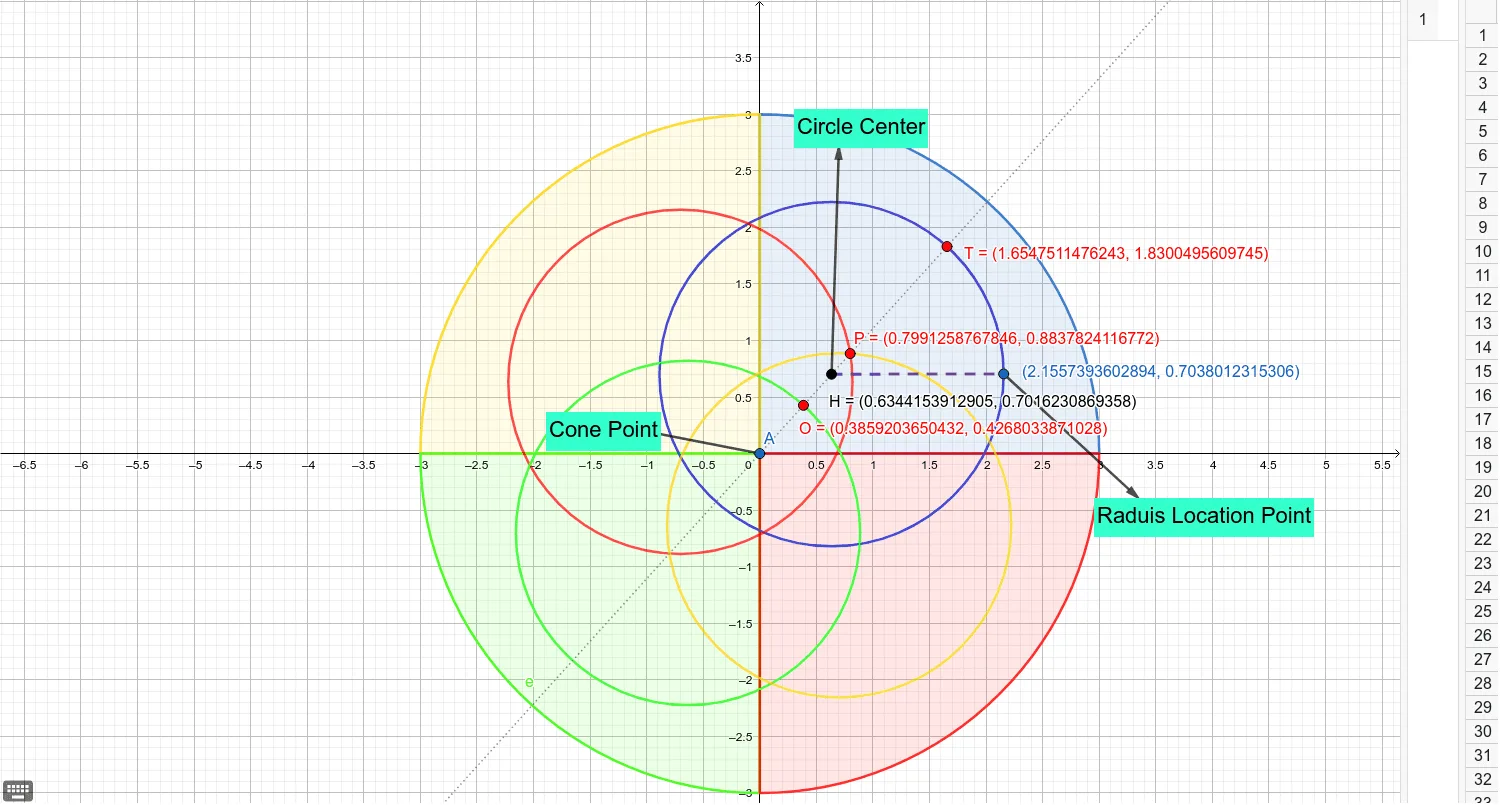
This example demonstrates how to construct a circle on a cone. Key mathematical concepts include circles, cones, and geometric construction. Using GeoGebra commands such as Point, CircleSector, Rotate, and Intersect, a circle on the cone can be constructed. Suitable for high school mathematics education and learning.
GeoGebra Commands & Parameters
Point(xAxis) → APoint(xAxis) → BCircleSector(A, B, C) → cPoint(xAxis) → DCircleSector(A, C, D) → dPoint(yAxis) → ECircleSector(A, D, E) → eCircleSector(A, E, B) → fPoint(f) → FPoint(f) → GCircle(H, I) → gRotate(g, 90°, A) → g'Rotate(g, 180°, A) → g'_1Rotate(g, 270°, A) → g'_2Intersect(g'_2, c, 1) → JIntersect(g', c, 1) → KIntersect(g'_2, d, 1) → LIntersect(c, d, 1) → MLine(A, H) → hIntersect(g'_1, h, 2) → OIntersect(g', g'_2, 1) → PIntersect(g, h, 2) → TMirror(H, f) → H'Vector(A, N) → uVector(H, U) → vPoint(g) → VVector(H, V) → wIntersect(c, d, 1) → WIntersect(g'_2, c, 1) → ZIntersect(c, d, 1) → I_1Intersect(g', c) → T_1, , ,Intersect(f, c) → U_1, , ,Intersect(g'_2, c, 1) → A_1Intersect(g'_2, c, 1) → B_1Intersect(g'_2, c, 1) → C_1Intersect(g'_2, c, 1) → F_1Intersect(c, d, 1) → J_1Intersect(g, c, 1) → K_1Segment(H, V) → iPoint(c) → QVector(V, S) → a
AI Drawing Prompt Reference
Draw a cone in 3D space with its apex at the origin and a circular base on the horizontal plane. Construct a circle on the lateral surface of the cone, parallel to the base and inside the cone. Start by placing several auxiliary points on the coordinate axes, then use circular sectors and rotations to define the cone's lateral profile. Mark two points on the cone's surface, and draw a circle through the apex and these points. Rotate this circle around the apex by 90, 180, and 270 degrees to create three additional circles. These rotated circles intersect the cone's surface and base, producing multiple intersection points. Finally, connect these points to form a circular ring structure on the cone, and add auxiliary lines and vectors to illustrate the geometric relationships.
The prompt above was compiled from the original drawing commands and is for reference only.