
Calculating the Perimeter of a Square
Loading the math board and drawing, please wait…
In collections
Perimeter of rectangle and square
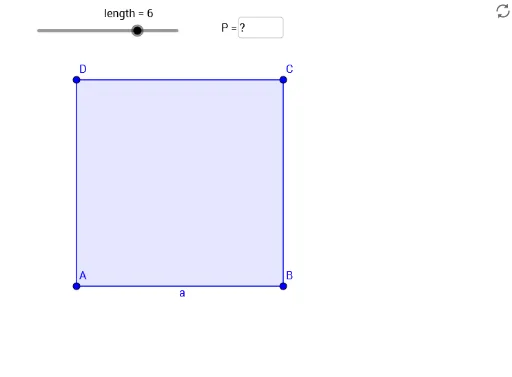
This example demonstrates how to calculate the perimeter of a square by measuring its side length. Key mathematical concepts include the properties of a square and the method of calculating its perimeter. Using GeoGebra commands such as Point, Segment, Polygon, and Perimeter, the construction process of the square is visually illustrated. Suitable for middle school and above students to learn geometric construction and perimeter calculation.
GeoGebra Commands & Parameters
Point(Circle[D, length]) → ASegment(D, A) → a_2Polygon(D, A, 4) → Vieleck1, g, a, i, j, B, CPerimeter(Polygon[A, B, C, D]) → bTextfield(loesung) → Textfeld1
AI Drawing Prompt Reference
Draw a square and measure its side length to demonstrate how to calculate the perimeter. Start by drawing a circle, then take a point on the circle and connect it to the center to form a line segment. Use this segment as a side to draw a square, and then label the perimeter of the square, displaying the calculation result in a text box.
The prompt above was compiled from the original drawing commands and is for reference only.