
Calculating the Area of a Triangle in 3D
Loading the math board and drawing, please wait…
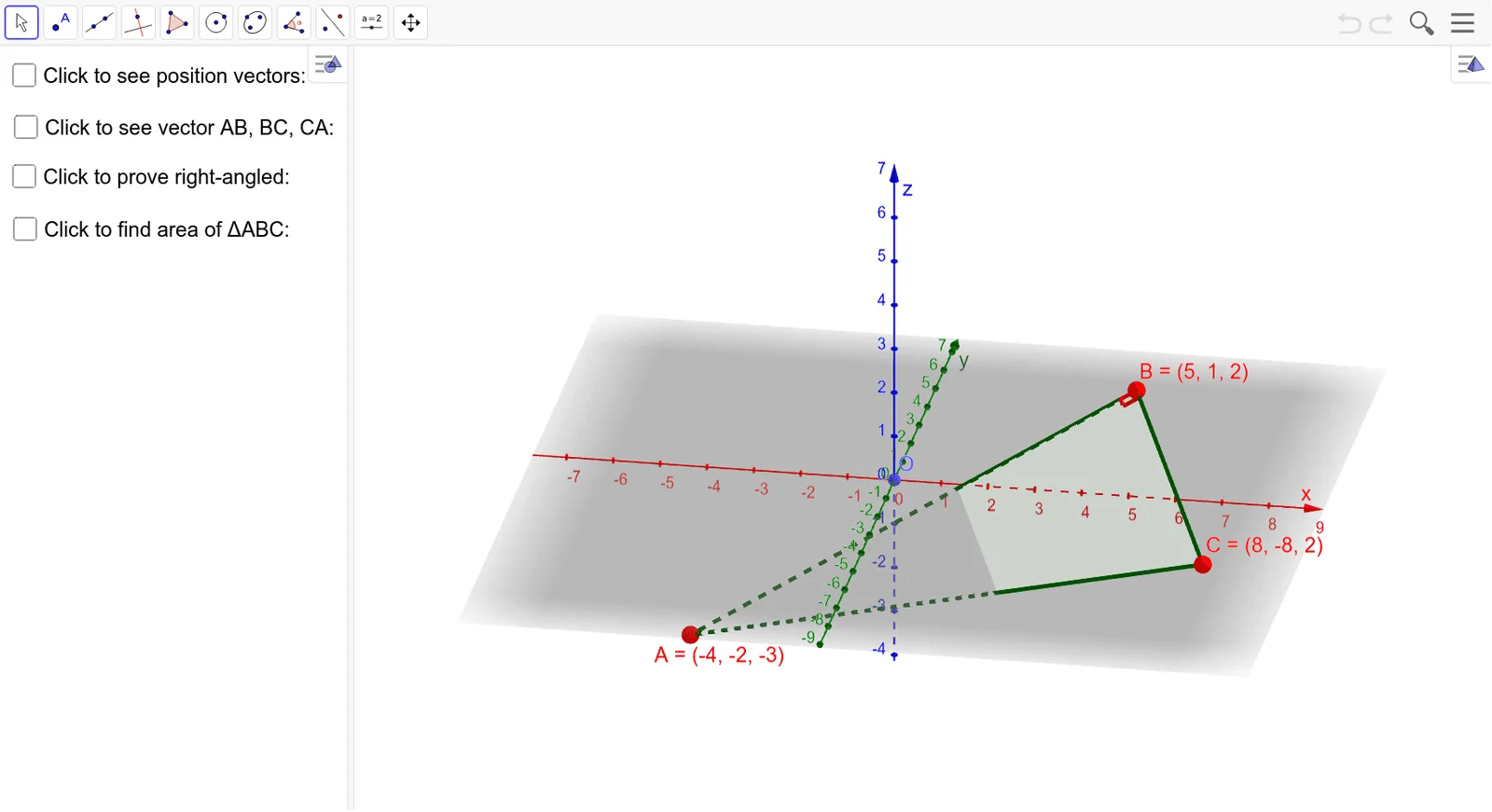
This example demonstrates how to calculate the area of a triangle in three-dimensional space. The core mathematical concepts involved include vectors, dot product, and solid geometry. The construction utilizes GeoGebra commands and objects such as Line, OrthogonalLine, Intersect, Point, Angle, Polygon, and Vector to build the triangle and compute its area. It is suitable for high school and above students studying solid geometry and vector mathematics.
GeoGebra Commands & Parameters
Line(A, B) → fOrthogonalLine(B, f, xOyPlane) → gIntersect(g, f) → DPoint(g) → EAngle(B, D, E) → αAngle(A, B, E) → βPolygon(A, B, C) → t1, c, a, bVector(O, A) → uVector(O, B) → vVector(O, C) → wVector(A, B) → eVector(B, C) → hVector(C, A) → iSurdText(k) → text1SurdText(l) → text2SurdText(m) → text3SurdText(n) → text9
AI Drawing Prompt Reference
Draw a triangle in 3D space and show the process of calculating its area. Start by drawing two sides of the triangle, then find the third side using perpendicular lines. Label the interior angles of the triangle and represent its sides and vertices with vectors. Finally, calculate and display the area of the triangle, using square root symbols to annotate key calculation steps.
The prompt above was compiled from the original drawing commands and is for reference only.