
Calculating and Modeling the Volume of an Egg
Loading the math board and drawing, please wait…
In collections
GeoGebra 3D Grafikrechner mit AR - Beispielsammlung
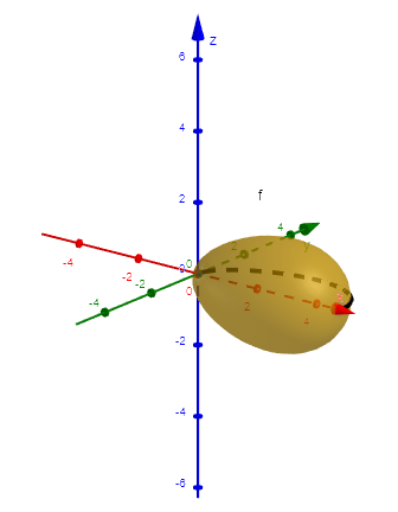
This example demonstrates how to model an egg shape by rotating a curve and calculate its volume. Key math concepts include definite integrals, volume of solids of revolution, and function graph transformations. Construction highlights using GeoGebra commands/objects: LaTeX (text formatting), Point (points), Mirror (reflection), Surface (surfaces). Suitable for high school students learning calculus and solid geometry to understand volume calculation methods of rotational solids.
GeoGebra Commands & Parameters
LaTeX(f, true, true) → Text2Point(yAxis) → AMirror(A, xAxis) → A'Surface(t, (((b * sqrt(1 - (t - a)^(2) / a^(2))) * (1 + (c * t))) * cos(u)), (((b * sqrt(1 - (t - a)^(2) / a^(2))) * (1 + (c * t))) * sin(u)), t, 0, (2 * a), u, 0, 6.283185307179586) → d
AI Drawing Prompt Reference
Draw an egg shape by rotating a curve around an axis, showing the relationship between the curve and the rotation axis, and represent the surface of the egg with a surface. Label the function expression in the graph, mark a point on the y-axis, and reflect this point across the x-axis to get another point. Use these points and the function expression to draw the surface of the rotating curve, demonstrating the calculation method for the volume of solids of revolution using integrals.
The prompt above was compiled from the original drawing commands and is for reference only.