
Building a drawable surface with similarity transformations and triangles
Loading the math board and drawing, please wait…
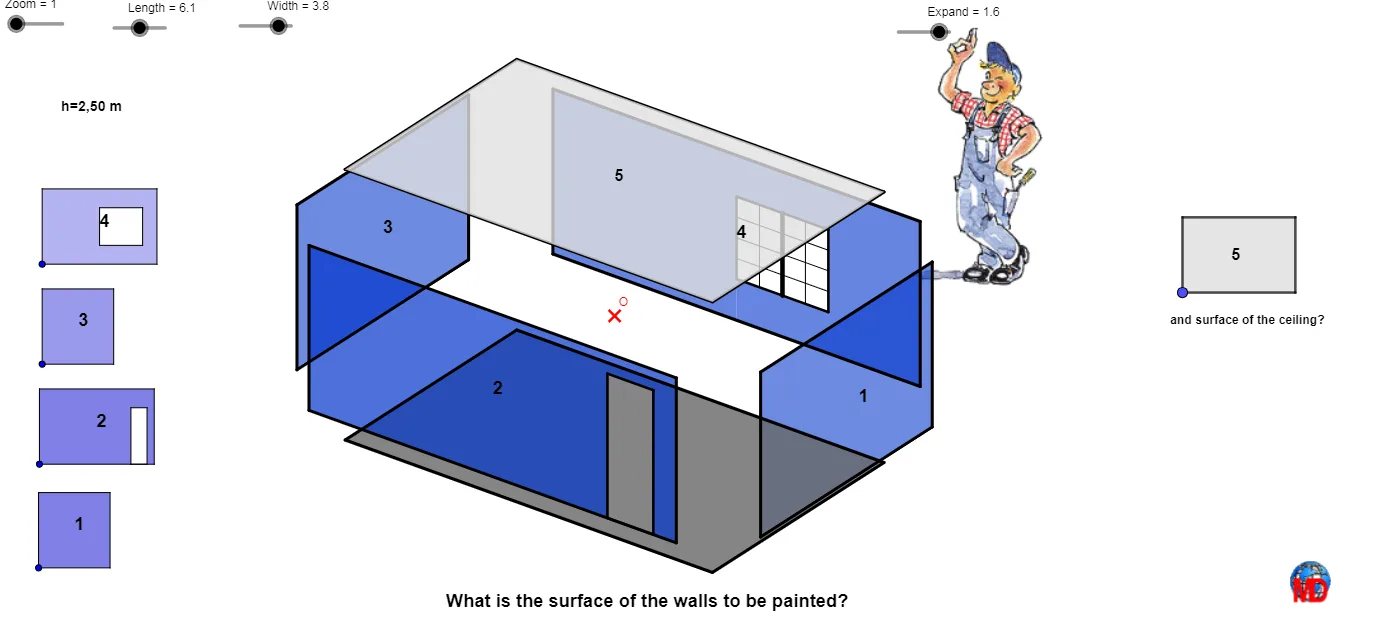
This example demonstrates how to create a drawable “surface” by starting from basic geometric elements and applying similarity transformations, including dilation (scaling) together with operations such as translation and mirroring. The construction emphasizes key ideas in geometry: similarity transformations (similarity ratio), triangle-based partitioning, and the use of auxiliary points like midpoints and centroids to control the shape and proportions. It also relies on vectors, rays/lines, and intersection points to determine each surface patch consistently. In GeoGebra, the model is built using commands such as Vector, Translate, Circle, Point, Ray, OrthogonalLine, Mirror, Segment, facecachée3points, Polygon, fachequadrlatèrecachée, Midpoint, Line, Intersect, and Centroid. The scene is organized through named geometric objects (e.g., base points and patch-defining points like O, A1, B, P, Q, R, S, T, U, V, W, Z_1) and parameters controlling size and view (e.g., Zoom, Vue, k, l, m, n). Suitable for late secondary school through early university students, especially for lessons on similarity transformations, geometric construction, and visualization of surface facets in GeoGebra.
GeoGebra Commands & Parameters
Vector(B, Z) → wVector(B, X) → uTranslate(O, Vector[(Length * u)]) → PVector(B, Y) → vTranslate(P, Vector[(Width * v)]) → QCircle(Vue, 0.2) → dPoint(d) → CRay(Vue, C) → e_2OrthogonalLine(Vue, yAxis) → aOrthogonalLine(Vue, xAxis) → bTranslate(Q, Vector[(Hauteur * w)]) → RMirror(R, O) → SMirror(R, Q) → TMirror(T, P) → UMirror(R, P) → VMirror(U, O) → WMirror(T, O) → Z_1Mirror(V, O) → A1Segment(Z_1, U) → kSegment(U, V) → lSegment(V, T) → mSegment(T, W) → nSegment(W, A1) → pSegment(A1, Z_1) → qSegment(A1, R) → rSegment(R, T) → sSegment(R, U) → tSegment(Z_1, S) → a1Segment(S, W) → b1Segment(S, V) → c1facecachée3points(W, S, Z_1) → B1facecachée3points(Z_1, A1, S) → C1Polygon(C1, A1, B1, S) → poly2, c1_1, a1_1, b1_1, s_1fachequadrlatèrecachée(Z_1, U, V, S) → poly4, d1, f1, j1, k1fachequadrlatèrecachée(A1, R, U, Z_1) → poly5, l1, m1, n1, p1fachequadrlatèrecachée(W, S, V, T) → poly6, q1, r1, s1, t1fachequadrlatèrecachée(U, R, T, V) → poly7, a2, b2, c2, d2fachequadrlatèrecachée(R, A1, W, T) → poly8, e2, f2, g2, h2Polygon(S, W, T, V) → poly1, s_2, w_1, t_1, v_1Midpoint(Z_1, R) → ATranslate(A, Vector[(Expand * w)]) → DTranslate(R, Vector[(Expand * w)]) → ETranslate(A1, Vector[(Expand * w)]) → FTranslate(Z_1, Vector[(Expand * w)]) → GTranslate(U, Vector[(Expand * w)]) → HPolygon(F, E, H, G) → poly3, f_1, e_1, h_1, g_1Mirror(F, O) → F'Mirror(E, O) → E'Mirror(H, O) → H'Mirror(G, O) → G'Polygon(F', E', H', G') → poly3', f', e', h', g'Translate(R, Vector[(Expand * u)]) → ITranslate(T, Vector[(Expand * u)]) → JTranslate(U, Vector[(Expand * u)]) → KTranslate(V, Vector[(Expand * u)]) → LPolygon(K, I, J, L) → poly9, k_1, i_1, j, l_1Mirror(K, O) → K'Mirror(I, O) → I'Mirror(J, O) → J'Mirror(L, O) → L'Polygon(K', I', J', L') → poly9', k', i', j', l'Translate(A1, Vector[(Expand * v)]) → MTranslate(R, Vector[(Expand * v)]) → NTranslate(W, Vector[(Expand * v)]) → D1Translate(T, Vector[(Expand * v)]) → E1Polygon(M, D1, E1, N) → poly10, m_1, d1_1, e1, n_1Mirror(M, O) → M'Mirror(D1, O) → D1'Mirror(E1, O) → E1'Mirror(N, O) → N'Polygon(M', D1', E1', N') → poly10', m', d1', e1', n'Midpoint(n') → A_1Midpoint(A_1, M') → B_1Midpoint(B_1, M') → C_1Midpoint(B_1, A_1) → D_1Midpoint(B_1, C_1) → E_1Midpoint(C_1, M') → F_1Line(F_1, m') → eLine(E_1, e) → gMidpoint(e1') → G_1Midpoint(G_1, E1') → H_1Midpoint(H_1, E1') → I_1Line(I_1, d1') → hIntersect(h, g) → J_1Intersect(e, h) → K_1Polygon(E1', D1', M', F_1, K_1, J_1, E_1, N') → poly11, e1'_1, d1'_1, m'_1, f_2, k_2, j_1, e_3, n'_1Midpoint(m_1) → L_1Midpoint(D1, L_1) → M_1Line(M_1, d1_1) → iMidpoint(L_1, M) → N_1Line(N_1, i) → a_1Midpoint(D1, E1) → O_1Midpoint(O_1, E1) → P_1Line(P_1, e1) → b_1Line(O_1, m_1) → c_1Intersect(a_1, c_1) → Q_1Intersect(c_1, i) → R_1Intersect(b_1, i) → S_1Intersect(a_1, b_1) → T_1Polygon(N, M, D1, O_1, Q_1, T_1, S_1, P_1, E1) → poly12, n_2, m_2, d1_2, o_1, q_1, t_2, s_3, p_1, e1_1Polygon(S_1, R_1, O_1, P_1) → poly13, s_4, r_1, o_2, p_2Midpoint(Q_1, T_1) → U_1Midpoint(R_1, S_1) → V_1Midpoint(Q_1, R_1) → W_1Midpoint(W_1, R_1) → A_2Midpoint(W_1, Q_1) → B_2Segment(U_1, V_1) → d_1Midpoint(T_1, S_1) → C_2Midpoint(C_2, T_1) → D_2Midpoint(C_2, S_1) → E_2Segment(B_2, D_2) → a_2Segment(W_1, C_2) → b_2Segment(A_2, E_2) → c_2Midpoint(Q_1, U_1) → F_2Midpoint(U_1, T_1) → G_2Midpoint(R_1, V_1) → H_2Midpoint(V_1, S_1) → I_2Segment(F_2, H_2) → d_2Segment(G_2, I_2) → g_2Polygon(Q_1, T_1, S_1, R_1) → poly14, q_2, t_3, s_5, r_2Polygon(E_1, J_1, K_1, F_1) → poly15, e_4, j_2, k_3, f_3Midpoint(I, L) → J_2Midpoint(E1', M') → K_2Midpoint(L', I') → L_2Midpoint(M, E1) → M_2Midpoint(M, E1) → N_2Midpoint(E1, M) → O_2Midpoint(M, E1) → P_2Midpoint(E_1, M) → Q_2Midpoint(N, D1) → R_2Midpoint(n_1) → S_2Midpoint(d1_1) → T_2Polygon(A_3, D_3, V_2, U_2) → poly16, a_3, d_3, v_2, u_2Polygon(B_3, C_3, Z_2, W_2) → poly17, b_3, c_3, z_2, w_2Polygon(E_3, G_3, J_3, F_3) → poly18, e_5, g_3, j_3, f_4Polygon(K_3, H_3, I_3, L_3) → poly19, k_4, h_3, i_3, l_3Midpoint(D_3, U_2) → M_3Midpoint(C_3, W_2) → N_3Midpoint(J_3, E_3) → O_3Midpoint(L_3, H_3) → P_3Midpoint(U_2, V_2) → Q_3Midpoint(Q_3, V_2) → R_3Midpoint(R_3, V_2) → S_3Midpoint(R_3, Q_3) → T_3Midpoint(D_3, V_2) → U_3Midpoint(U_3, D_3) → V_3Line(V_3, a_3) → l_2Midpoint(S_3, V_2) → W_3Midpoint(R_3, W_3) → Z_3Midpoint(R_3, Z_3) → A_4Line(A_4, d_3) → h_2Line(W_3, d_3) → i_2Intersect(h_2, l_2) → B_4Intersect(l_2, i_2) → C_4Polygon(A_4, B_4, C_4, W_3) → poly20, a_4, b_4, c_4, w_3Intersect(w_2, z_2) → D_4Midpoint(C_3, Z_2) → E_4Midpoint(E_4, N_3) → F_4Midpoint(Z_2, W_2) → G_4Midpoint(Z_2, G_4) → H_4Midpoint(E_4, Z_2) → I_4Midpoint(C_3, E_4) → J_4Midpoint(b_3) → K_4Midpoint(C_3, K_4) → L_4Line(J_4, b_3) → m_3Midpoint(F_4, E_4) → M_4Line(M_4, c_3) → n_3Line(K_4, w_2) → p_3Line(I_4, z_2) → q_3Intersect(m_3, p_3) → N_4Intersect(n_3, m_3) → O_4Intersect(q_3, n_3) → P_4Intersect(p_3, q_3) → Q_4Polygon(N_4, O_4, P_4, Q_4) → poly21, n_4, o_4, p_4, q_4Polygon(R_4, S_4, U_4, T_4) → q2, r_4, r_3, u_4, t_4Centroid(poly3) → V_4Centroid(q2) → W_4Polygon(Vue, AA, BB, CC) → q3, vue, aa, bb, cc
AI Drawing Prompt Reference
Create a drawable surface using similarity transformations and triangles. Start by generating points and segments with vectors w, u, v, and w from point O, then use mirroring, rotation, and translation to create multiple quadrilaterals and triangles. Finally, control the shape and proportions with auxiliary points like A, D, E, F, and so on.
The prompt above was compiled from the original drawing commands and is for reference only.