
Animation 162: Dynamic Geometry with Polygon and Perpendicular Lines
Loading the math board and drawing, please wait…
In collections
Congruence (CO) Cluster
Congruence (Vol 1)
Congruence (Vol 1) Over 80 Resources
Geometry (Congruence) Volume 1
CCSS High School: Geometry (Congruence) Volume 1 S N ATTAR
CCSS High School: Geometry (Congruence) Volume 1
CCSS High School: Geometry (Congruence) Volume 1
CCSS High School: Geometry (Congruence) Volume 1
CCSS High School: Geometry (Congruence) Volume 1
CCSS High School: Geometry (Congruence) Volume 1
CCSS High School: Geometry (Congruence) Volume 1
CCSS High School: Geometry (Congruence) Volume 1
CCSS High School: Geometry (Congruence) Volume 1
CCSS High School: Geometry (Congruence) Volume 1
CCSS High School: Geometry (Congruence) Volume 1
CCSS High School: Geometry (Congruence) Volume 1
Congruence: Volume 1 - Chapter 1
Congruence: Volume 1 - Chapter 1
Congruence V1C1 Check
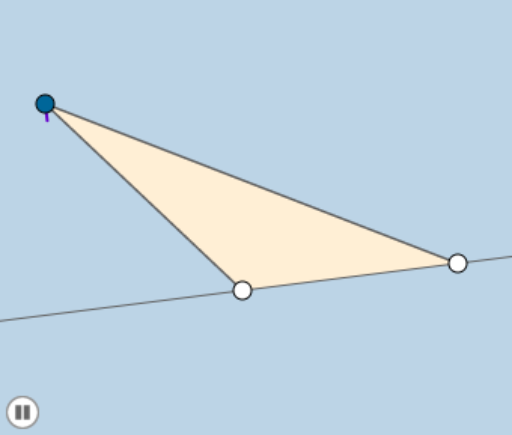
This GeoGebra example demonstrates a dynamic geometric construction involving a polygon, lines, perpendiculars, and intersection points, animated by a slider for angle α. The core mathematical concepts include polygon properties, perpendicular line construction, intersection points, dilation (similarity transformation), and angle measurement. The construction uses commands such as Polygon to create poly1, Line and Segment for lines and segments, OrthogonalLine for perpendiculars, Intersect to find intersection points, Dilate for scaling, and Angle to mark α. Key objects include points A, B, C, lines c, a, b, auxiliary lines f, g, h, i, intersection points D, d, C', segments j, k, and angle α. This example is suitable for middle or high school geometry classes to visualize how perpendiculars and dynamic angles affect a figure, and also serves as a GeoGebra construction tutorial.
GeoGebra Commands & Parameters
Polygon(A, B, C) → poly1, c, a, bLine(A, B) → fSegment(A, C) → gSegment(C, B) → hOrthogonalLine(C, f) → iIntersect(f, i) → DDilate(C, If[0 < d ≤ 1, 1 - d, 0], D) → C'Segment(C, C') → jSegment(C, D) → kAngle(C, C', A) → α
AI Drawing Prompt Reference
Draw a dynamic geometric figure: start with a triangle, then construct a perpendicular line from one vertex to the opposite side, marking the foot of the perpendicular. Using that foot as a center, dilate the vertex along the perpendicular by a factor that varies with an angle, creating a new point. Connect the original vertex to the new point and to the foot, forming two segments. Finally, mark the angle at the original vertex between the new point and the foot, and use a slider to animate the angle, showing the figure changing dynamically.
The prompt above was compiled from the original drawing commands and is for reference only.