
Angle Between Lines in a Cube
Loading the math board and drawing, please wait…
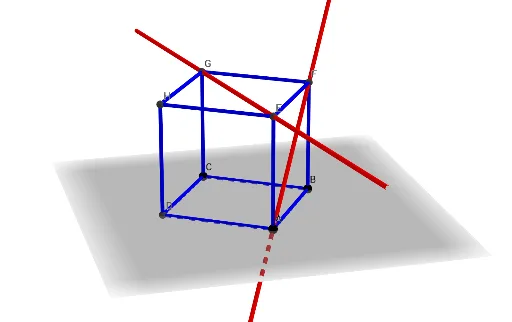
This example demonstrates how to calculate the angle between any two lines within a cube. It involves core mathematical concepts such as vector dot product, spatial geometry, and the cosine theorem. The construction uses GeoGebra commands like Point, Cube, and Line, with objects including points A, B, C, a, D, E, F, G, H, and cube faces/edges like faceABCD, edgeAD, etc. Suitable for high school solid geometry teaching or exploration by math enthusiasts.
GeoGebra Commands & Parameters
Point(Circle[B, Distance[A, B], Segment[A, B]]) → CCube(A, B, C) → a, D, faceCDHG, faceEFGH, edgeAD, edgeAB, edgeBC, edgeCD, edgeAE, edgeDH, edgeEH, edgeEF, E, edgeBF, edgeFG, edgeCG, edgeGH, F, G, H, faceABCD, faceADHE, faceABFE, faceBCGFLine(G, E) → fLine(F, A) → g