
Triangle Folding: Geometric Construction and Transformation
Loading the math board and drawing, please wait…
In collections
About angles in a triangle
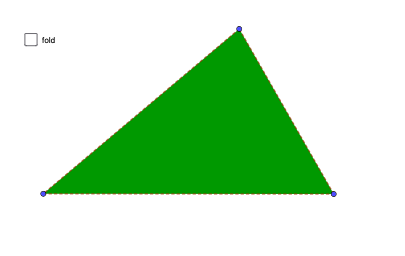
This example demonstrates the geometric phenomenon of triangle folding, involving concepts such as angles, geometric construction, and transformation. The construction uses GeoGebra commands like Polygon, PointIn, LineBisector, and objects such as A, B, C. It is suitable for middle school or high school students learning geometric transformations and graphic operations.
GeoGebra Commands & Parameters
Polygon(A, B, C) → t1, c, a, bPointIn(t1) → A1LineBisector(A, A1) → fIntersect(f, c) → EIntersect(f, b) → FOrthogonalLine(E, a) → gOrthogonalLine(F, a) → hMirror(B, g) → B'Mirror(C, h) → C'Segment(B, B') → iPoint(i) → B1Segment(C', C) → jPoint(j) → C1Polygon(E, F, A1) → t2, a1, e, f_1LineBisector(B, B1) → kIntersect(k, c) → DLineBisector(C1, C) → lIntersect(l, b) → GIntersect(k, a) → HIntersect(l, a) → IPolygon(D, B1, H) → t3, h_1, d, b1Polygon(I, C1, G) → t4, g_1, i_1, c1Polygon(A1, E, B1, C1, F) → poly1, m, n, p, s, tPolygon(E, D, B1) → t5, q, e_1, d_1Polygon(F, G, C1) → t6, r, f_2, g_2Polygon(A, B, C) → t7, c_1, a_1, b_1Distance(A, A1) → u
AI Drawing Prompt Reference
Draw a triangle ABC and take a point A1 inside it. Construct the perpendicular bisector of segment AA1, intersecting sides AC and AB at points E and F respectively. Through E and F, draw perpendicular lines to side BC. Using these two lines as axes of symmetry, reflect point B to obtain B' and point C to obtain C'. Connect BB' and CC', then select points B1 on BB' and C1 on CC'. Create a triangle with vertices E, F, and A1, a quadrilateral with vertices D, B1, H, another quadrilateral with vertices I, C1, G, and a pentagon with vertices A1, E, B1, C1, F. Finally, calculate the distance from A to A1. The entire figure demonstrates a triangular folding transformation.
The prompt above was compiled from the original drawing commands and is for reference only.