
Analyzing a Free-Kick Trajectory with Parametric/Polynomial Curves
Loading the math board and drawing, please wait…
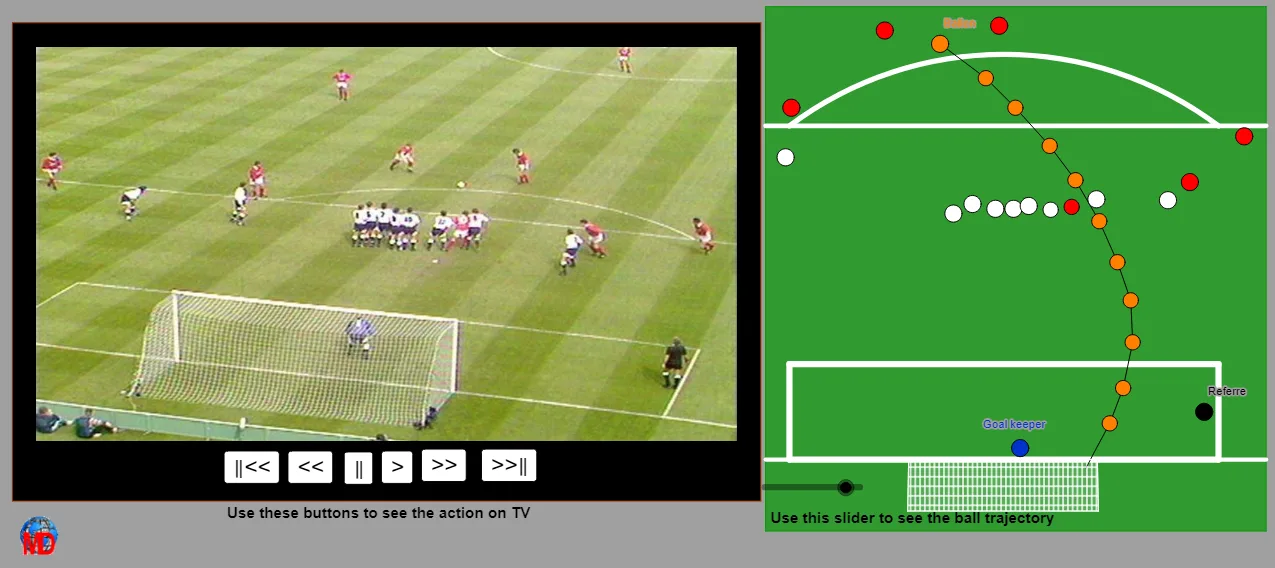
This GeoGebra example demonstrates how to model and analyze a football free-kick flight path as a curve, highlighting the trajectory shape and key special points. It centers on core ideas such as parametric or polynomial trajectory modeling, identifying characteristic points on the curve, and using construction and fitting-style reasoning to obtain a workable mathematical representation. The construction uses GeoGebra commands including Polygon (to set up auxiliary geometric structures), Polynomial (to define polynomial trajectory equations), PolyLine (to trace sampled path segments), Midpoint/Point/Line/Segment (to compute and connect key geometric quantities), CircumcircleArc (for arc-based geometric relations), Intersect (to locate intersection points that help determine special locations), and Take (to manage sets of objects for organized output). It also relies on parameter t and multiple constructed points (e.g., A, B, C, D) to build interactive visuals. Suitable for high-school advanced students and early university learners in coordinate geometry, graphing, and math modeling.
GeoGebra Commands & Parameters
Polygon(A, B, D, C) → poly1, a_1, b, d, cPolygon(A - (e, (2.5 * e)), B + (e, (-2.5 * e)), D + (e, e), C + ((-e), e)) → poly2, f, g, h, iPolynomial(Liste1) → pPolyLine(E, F, G, H, I, J) → jMidpoint(A, K) → LPolygon(M, N, O, P) → poly3, m, n, o, p_1Point(m) → QPoint(m) → RPolygon(Q, R, S, T) → poly4, q, r, s, t_1Line(W, Z) → kCircumcircleArc(W, V, Z) → c_1Polygon(A_1, B_1, C_1, D_1) → poly5, a_2, b_1, c_2, d_1Intersect(d_1, k) → E_1Intersect(b_1, k) → F_1Segment(E_1, F_1) → lLine(M, N) → e_1Intersect(d_1, e_1) → G_1Intersect(b_1, e_1) → H_1Segment(G_1, H_1) → f_1PolyLine(Liste2) → g_1Take(Liste2, 1, u) → liste1Polygon(Q, R, S, T) → poly6, q_1, r_1, s_1, t_2
AI Drawing Prompt Reference
On a coordinate plane, first set up several baseline points using polygons, then use them to define a polynomial trajectory curve representing a football free-kick flight path. Sample points along the parameter t and connect them with a polyline to visualize the curve’s traced path. Determine special characteristic locations by finding intersection points between the trajectory-related lines and other constructed lines, then draw segments connecting the relevant intersections to highlight key positions. Include an auxiliary circular-arc relation based on two reference lines, and use a midpoint-based auxiliary construction to organize the view, ending with a clear curve plus its important points and connecting lines for analysis.
The prompt above was compiled from the original drawing commands and is for reference only.