
Study Using OnUpdate to Execute Commands and Actions
Loading the math board and drawing, please wait…
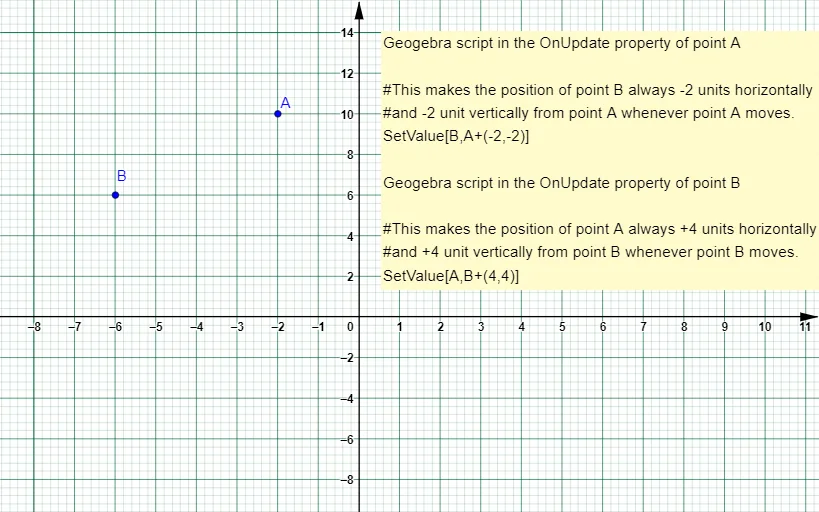
This example demonstrates how to create dynamic mathematical activities using GeoGebra script with the OnUpdate command. It involves core math concepts like functions, parametric curves, and loci. Key construction elements include objects A, B, text1, and C for dynamic visualization. Suitable for high school and above students to explore mathematical animations and interactions.
GeoGebra Commands & Parameters
Point A(-2, 10)Point B(-6, 6)B - A
AI Drawing Prompt Reference
Create a dynamic mathematical activity with point A at (-2, 10) and point B at (-6, 6), then calculate the difference between B and A. Use core math concepts like functions, parametric curves, and loci, and control the positions of points A and B with sliders to observe dynamic changes in the graph.
The prompt above was compiled from the original drawing commands and is for reference only.