
Lissajous Figures Parametric Drawing
Loading the math board and drawing, please wait…
In collections
geometriadinamica.es
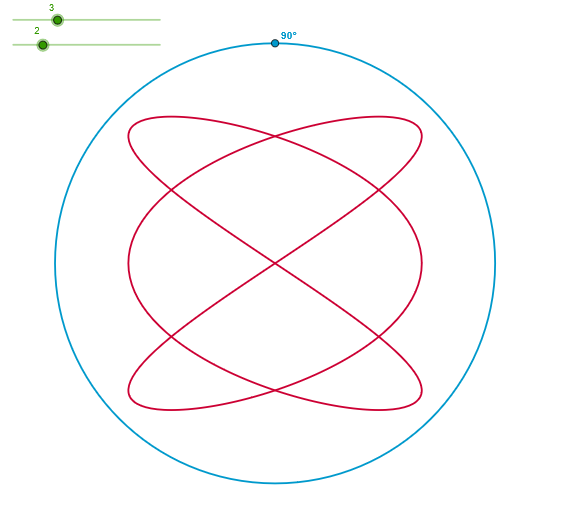
This example demonstrates how to draw Lissajous figures - planar curves formed by combining two perpendicular sinusoidal vibrations. The core mathematical concepts involve trigonometric functions, parametric equations, and periodic analysis. Construction highlights: Using CurveCartesian command with parametric form x=a*sin(α+φ), y=b*sin(β*α); employing Circle, Point, and Angle commands to construct reference circles and angle controls; adjusting parameters a, b, c via sliders to change curve shapes and complexity. Suitable for high school and undergraduate students learning parametric equations and trigonometric function graphs, also applicable for visualizing simple harmonic motion synthesis in physics courses.
GeoGebra Commands & Parameters
Circle((0, 0), 6) → dPoint(d) → AAngle((1, 0), (0, 0), A) → αCurveCartesian((4 * sin((a * t) + α)), (4 * sin((b * t))), t, 0, (2 * p)) → c
AI Drawing Prompt Reference
Draw a coordinate-plane reference circle centered at the origin with radius 6, and mark a point on the circle as a control point. From the origin, construct the angle between the positive x-axis direction and the segment to that point, using this angle as a phase control α. Then plot a parametric Lissajous curve on the plane by using x = 4·sin(a·t + α) and y = 4·sin(b·t), with the parameter t running from 0 to 2π. Adjust parameters a and b to change the curve’s shape and complexity.
The prompt above was compiled from the original drawing commands and is for reference only.