
Adding Fractions Practice
Loading the math board and drawing, please wait…
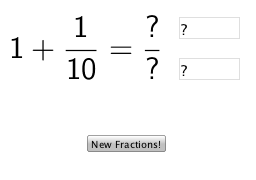
This example demonstrates the geometric representation of adding fractions. Key mathematical concepts include fractions and addition. Using GeoGebra commands such as Random, FractionText, Textfield, and If, users can dynamically input fractions and observe their sum. Suitable for high-grade elementary and junior high school students to practice adding fractions.
GeoGebra Commands & Parameters
Random(1, 5) → num1Random(1, 5) → num2Random(2, 10) → den1Random(2, 10) → den2FractionText(frac1) → text1FractionText(frac2) → text2Textfield(num) → InputBox1Textfield(den) → InputBox2If(frac1 + frac2 ≟ num / den, "Correct!", "") → text4
AI Drawing Prompt Reference
Create a dynamic geometric representation of adding fractions. Include two randomly generated fractions controlled by sliders, display their sum, and provide input boxes for users to enter fractions. Show a 'Correct!' message if the sum matches the input.
The prompt above was compiled from the original drawing commands and is for reference only.