
3D Vectors and Right Triangles
Loading the math board and drawing, please wait…
In collections
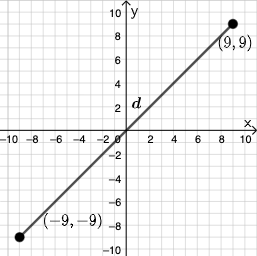
Open Middle: Distance in the Coordinate Plane (3)
This example demonstrates the relationship between vectors and right triangles in 3D space. Key mathematical concepts include vectors, right triangles, and solid geometry. Using commands like PointIn, Segment, and SurdText, you can construct 3D vectors and right triangles. Suitable for high school mathematics education and learning.
GeoGebra Commands & Parameters
PointIn(e) → APointIn(e) → BSegment(A, B) → fSurdText(f) → text1Textfield(j) → InputBox1Textfield(k) → InputBox2Point(Circle[A, sqrt((100 * j) + (10 * k) + o)]) → CSegment(A, C) → lIf(m < i, "Too short!", m > i, "Too long!", "This value is correct!") → text7Mode(l1) → l2Intersect(eq1, p) → DPolygon(A, D, B) → t1, b_1, a_1, d_1Segment(A, D) → qSegment(D, B) → rAngle(B, D, A) → αTextfield(o) → InputBox3If(Length[l2] ≟ 0, "AV's of all digits are different.", "AV's of some digits repeat.") → text8
AI Drawing Prompt Reference
Draw a right triangle in 3D space with two vectors A and B, and construct a right triangle using these vectors. First, select point C on a circle based on the input lengths of vectors A and B. Then, connect point A and C to form a vector. Next, determine if the vector length is correct and draw the third side of the triangle at the appropriate position. Finally, calculate and display one of the triangle's angles.
The prompt above was compiled from the original drawing commands and is for reference only.