
3D Vector Parametric Curve View Switching Demo
Loading the math board and drawing, please wait…
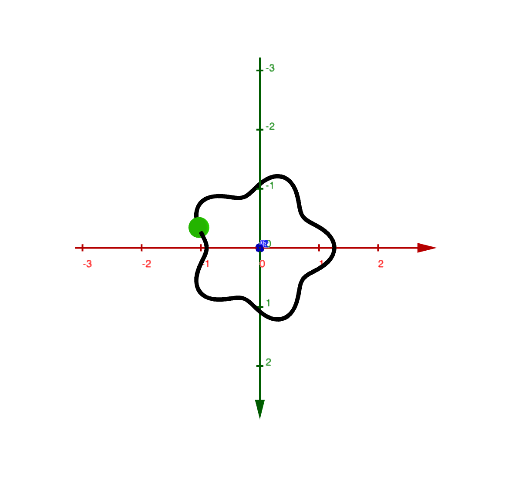
This example demonstrates how parameter curves and vector objects appear differently when viewed from various perspectives in three-dimensional space. Core mathematical concepts include 3D vector construction and transformation (u₁, u₂, u₃, u₄), parametric curve plotting using CurveCartesian command, and spatial relationship of orthocenter. Construction highlights: Use CurveCartesian to draw parametric curves, define key points via Point command, extract vector components with Element, switch between viewpoints using buttons (vdirection direction vector), and display 2D/3D vectors with Selectvector. Suitable for high school and college students studying spatial analytic geometry, parametric equations, and vector algebra, as well as math teachers demonstrating 3D visualization techniques.
GeoGebra Commands & Parameters
CurveCartesian(((r * cos(θ)) * (a + (b * cos((n * θ))))), ((r * sin(θ)) * (a + (b * cos((n * θ))))), (c * sin((m * θ))), θ, 0, (2 * pi)) → dPoint(d) → AElement(vdirection, faces) → Selectvector
AI Drawing Prompt Reference
Draw a 3D parametric curve whose horizontal projection forms a petal-like spiral and whose vertical coordinate varies sinusoidally. Place a point on the curve and display a vector that changes with the viewing direction, pointing along the current line of sight. The scene should allow switching between multiple viewpoints to show how the curve and vector appear from different perspectives.
The prompt above was compiled from the original drawing commands and is for reference only.