
Parametric Curves in 3D
Loading the math board and drawing, please wait…
In collections
MATH1052-edX
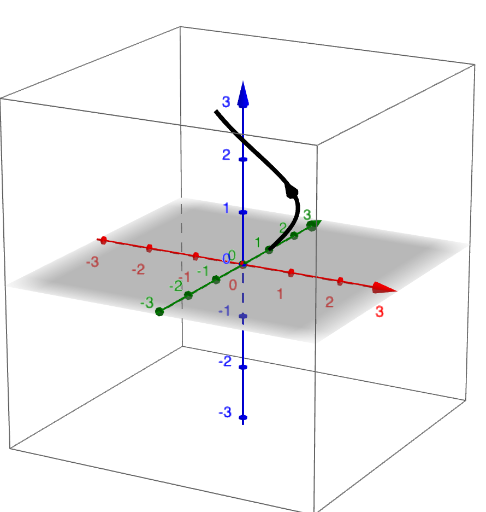
This GeoGebra example demonstrates parametric curves in three-dimensional space, allowing users to dynamically adjust parameters to observe how the curve's shape changes. Core mathematical concepts include parametric equations, 3D coordinate representation, vectors, and the relationship between curves and cylinders. The construction uses the CurveCartesian command to define the 3D parametric curve, Textfield inputs and sliders (such as h, min, max) to control parameter ranges, and Vector commands to create auxiliary vectors. It also incorporates statistical elements like linear regression, median line, and correlation, possibly for fitting or comparison. Suitable for high school to university students studying analytic geometry, calculus, or computer-assisted mathematical visualization, as well as for teachers demonstrating interactive exploration of parametric curves and spatial geometry.
GeoGebra Commands & Parameters
Textfield(f) → inp1Textfield(g) → inp2Textfield(max) → inp2nTextfield(min) → inp1nCurveCartesian(f(u), g(u), h(u), u, min, max) → curveTextfield(h) → inp3Vector(curve(medMinus), curve(medPlus)) → v
AI Drawing Prompt Reference
Create a three-dimensional parametric curve in a 3D coordinate system. Allow the user to input three functions of a parameter u via text fields to define the x, y, and z coordinates of the curve. Provide additional text fields to set the minimum and maximum values of the parameter u, determining the range of the curve. After the curve is drawn, select two points on the curve and draw a vector from one point to the other to indicate direction or connection.
The prompt above was compiled from the original drawing commands and is for reference only.