
Cauchy–Goursat Theorem Example: Geometry Construction with a Circle and Tangent
Loading the math board and drawing, please wait…
In collections
Complex Analysis: A visual and interactive introduction
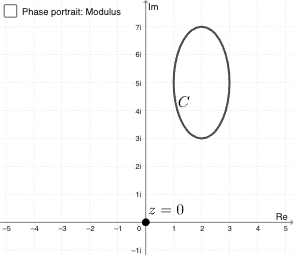
This GeoGebra example illustrates how the Cauchy–Goursat theorem can be visualized and checked within a geometric configuration involving a circle and a tangent line. The key mathematical ideas are circle geometry (including circumscripted/circumscribed circle-type relations), tangent properties at the contact region, and the way the theorem’s conditions manifest through constrained intersection relationships. In the construction, the main workflow comes from the provided construction summary: the command "Intersect" is used to compute the essential intersection points among the given geometric objects (e.g., C, a, D, A, B, pic1, eq1). Those computed intersections then determine the relationships needed to demonstrate the theorem in a concrete diagram. Suitable for advanced high-school learners, coordinate/geometry construction practice, and early university-level instruction focused on connecting theorem statements to interactive geometric validation.
GeoGebra Commands & Parameters
Intersect(xAxis, yAxis) → C
AI Drawing Prompt Reference
Draw a coordinate plane with a horizontal axis and a vertical axis, and mark their intersection as the main reference point. Using this point as the anchor for a circle-and-tangent configuration, set up the geometric relationships that are meant to visualize and check the theorem’s conditions: focus on circle geometry and the special behavior near the tangency region. Then, follow a construction order where constrained intersections define the key locations implied by those circle and tangent properties, enabling a clear visual verification.
The prompt above was compiled from the original drawing commands and is for reference only.