
3D Vector Line Equation Through Two Points
Loading the math board and drawing, please wait…
In collections
Vector Operations
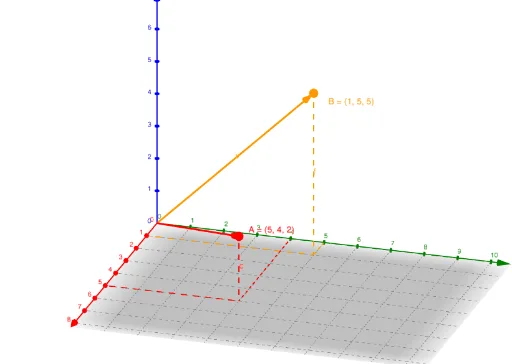
This GeoGebra example dynamically demonstrates the vector equation of a straight line in 3D space passing through two given points. It visually shows how the direction vector (determined by the coordinate difference of the two points) and a parameter λ construct any point on the line, with a slider controlling λ to move the point along the line and trace its locus. Core mathematical concepts include vectors in 3D, parametric line equations, direction vectors, position vectors, and coordinate representation of points. Construction highlights: the Vector command creates vectors OA, OB, and the direction vector v; Intersect and Segment commands build auxiliary segments; the Locus command generates the trajectory of point C as λ varies; LaTeX text displays the equation. This example is suitable for high school or early college students learning spatial analytic geometry, helping them grasp the geometric meaning and parametric representation of 3D line equations. It is also useful for teachers in classroom demonstrations or for student self-exploration.
GeoGebra Commands & Parameters
Vector((x_1, y_1, z_1)) → uIntersect(a, b) → B_1Segment(A, B_1) → cVector((x_2, y_2, z_2)) → vLaTeX(u, true, true) → OALaTeX(v, true, true) → OBIntersect(d, e) → DSegment(D, B) → fSegment(E, D) → gSegment(F, D) → hIntersect(a, xAxis) → GIntersect(yAxis, b) → HSegment(G, B_1) → iSegment(B_1, H) → jLocus(C, λ) → loc1Vector(A, C) → kLine(A, B) → l