
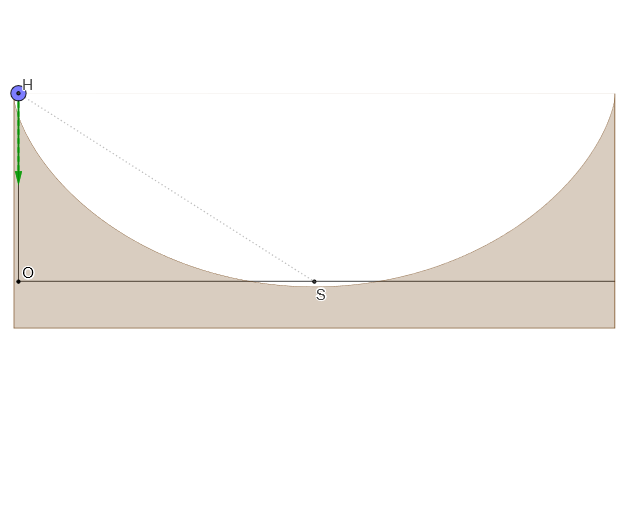
Fall along a cycloid
Loading the math board and drawing, please wait…
In collections
The Domain of the Time (intuitive kinematics)
This example demonstrates the motion of an object falling along a cycloid. It involves core mathematical concepts such as vectors, parametric equations, coordinate geometry, and calculus involving derivatives and limits. Key GeoGebra commands used include CurveCartesian, Point, Tangent, UnitVector, and Locus for constructing the motion. Suitable for high school students and math enthusiasts to understand cycloidal motion and related mathematical principles.
GeoGebra Commands & Parameters
CurveCartesian(((α * r), r) + (r; α + pi / 2), α, 0, (2 * pi)) → cPoint(c) → MIf(Length[reg] ≟ 1, {reg(1)}, Sequence[reg(k) - reg(k + 1), k, 1, Length[reg] - 1]) → regDifmean(regDif) → TTangent(M, c) → iUnitVector(i) → nSegment(M + g, M + gt) → jSegment(H, S) → fMirror(Hnor, Line[S, S + (0, 1)]) → Hnor'Locus(P, M) → lugar1
AI Drawing Prompt Reference
Draw a graph showing an object falling along a cycloid. The cycloid is formed by a circle rolling along a line. The object starts from the highest point and moves along the cycloid path. Include the cycloid curve, the object's position points, the direction of velocity lines, and the contact points between the object and the cycloid. The construction order is to draw the cycloid first, then mark the object's position, add velocity direction lines, and finally connect the contact points to show the motion relationship.
The prompt above was compiled from the original drawing commands and is for reference only.