
Parabolic Motion
Loading the math board and drawing, please wait…
In collections
The Domain of the Time (intuitive kinematics)
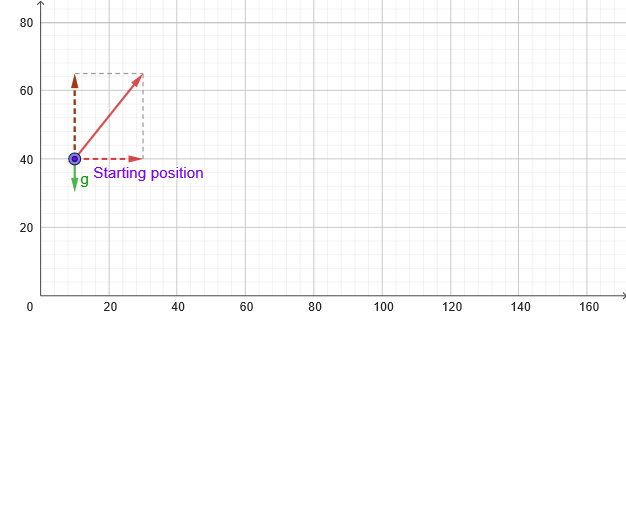
This example demonstrates the parabolic motion of an object under gravity, involving key math concepts like 2D vectors, function graphing, coordinate geometry, limits, and parametric equations. Construction highlights include commands like PointIn, Textfield, Segment, Vector, PolyLine, suitable for high school physics and math education to visualize and understand the principles of parabolic motion.
GeoGebra Commands & Parameters
PointIn(x ≥ 0 ∧ y ≥ 0) → PTextfield(vx) → CasillaDeEntrada1Segment(P, (x(P), 0)) → hAbajoVector((x(M), y(P)), (x(M) + vx, y(P))) → vx_{1}Textfield(vy) → CasillaDeEntrada2Vector((x(P), y(P)), (x(P), y(P) + vy)) → vy_{1}Segment(P, (x(P), y(P) + vy^(2) / ((2 * abs(g))))) → hArribaVector((x(P), y(M)), (x(P), y(M + v))) → vvPolyLine(reg) → pol
AI Drawing Prompt Reference
Draw a parabolic motion diagram showing the trajectory of an object under gravity. Start from the origin, with horizontal motion to the right and vertical motion affected by gravity. Include the starting point, horizontal path, vertical path, and parabolic trajectory line. The construction order is from the starting point, adding horizontal path, then vertical path, and finally connecting the trajectory line to show the parabolic shape.
The prompt above was compiled from the original drawing commands and is for reference only.