
F1 Racing Motion Simulation
Loading the math board and drawing, please wait…
In collections
The Domain of the Time (intuitive kinematics)
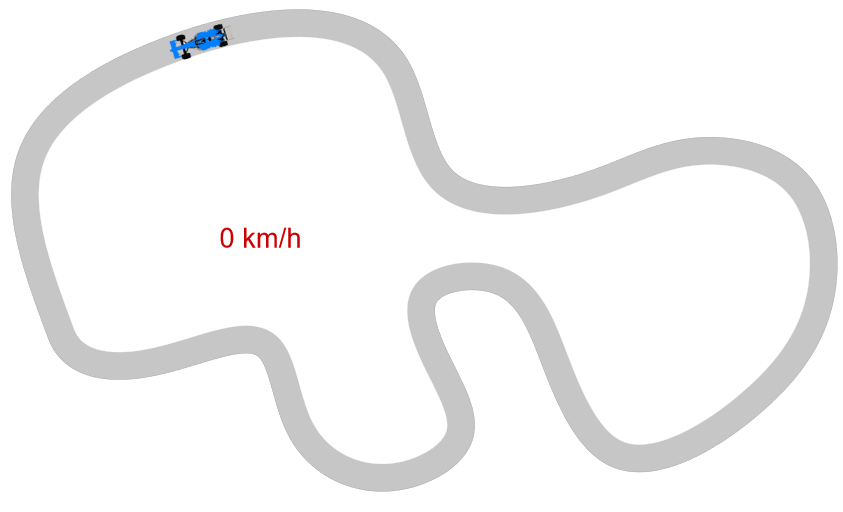
This example demonstrates the motion trajectory and acceleration changes of a F1 racing car in a 2D plane. Key math concepts include vectors, parametric equations, derivatives, tangents, and loci. Construction highlights involve commands like PolyLine, Spline, Tangent, UnitVector, Locus, and Circle in GeoGebra to build the car's path and velocity vectors. Suitable for high school students and math enthusiasts studying kinematics, calculus, and vector analysis.
GeoGebra Commands & Parameters
PolyLine(reg) → polLength(reg) → nSpline(lista, 3) → circuitTangent(Aux, circuit) → fUnitVector(Vector[Direction[f]]) → vtPoint(circuit) → QTangent(Q, circuit) → tQUnitOrthogonalVector(tQ) → nQLocus(Qexterior, Q) → exteriorLocus(Qinterior, Q) → interiorCircle(A, 0.2) → sem2Circle(A, 0.2) → sem1Circle(A, 0.2) → sem3Rotate(F1, arg(vt), M) → F1bPoint(circuit, 0.83929) → P
AI Drawing Prompt Reference
Create a smooth closed racing circuit using a cubic spline curve. Place several moving points along the circuit and draw tangent lines at each point to represent velocity vectors. Generate locus curves on both the interior and exterior sides of the circuit related to these points, forming a speed tunnel effect. Place an F1 car marker at a specific position on the circuit and rotate it so the car points in the direction of the tangent vector, showing the vehicle's orientation aligned with its motion direction throughout the curve.
The prompt above was compiled from the original drawing commands and is for reference only.