
麦克劳林多项式与映射图
几何画板及绘图内容加载中,请稍等……
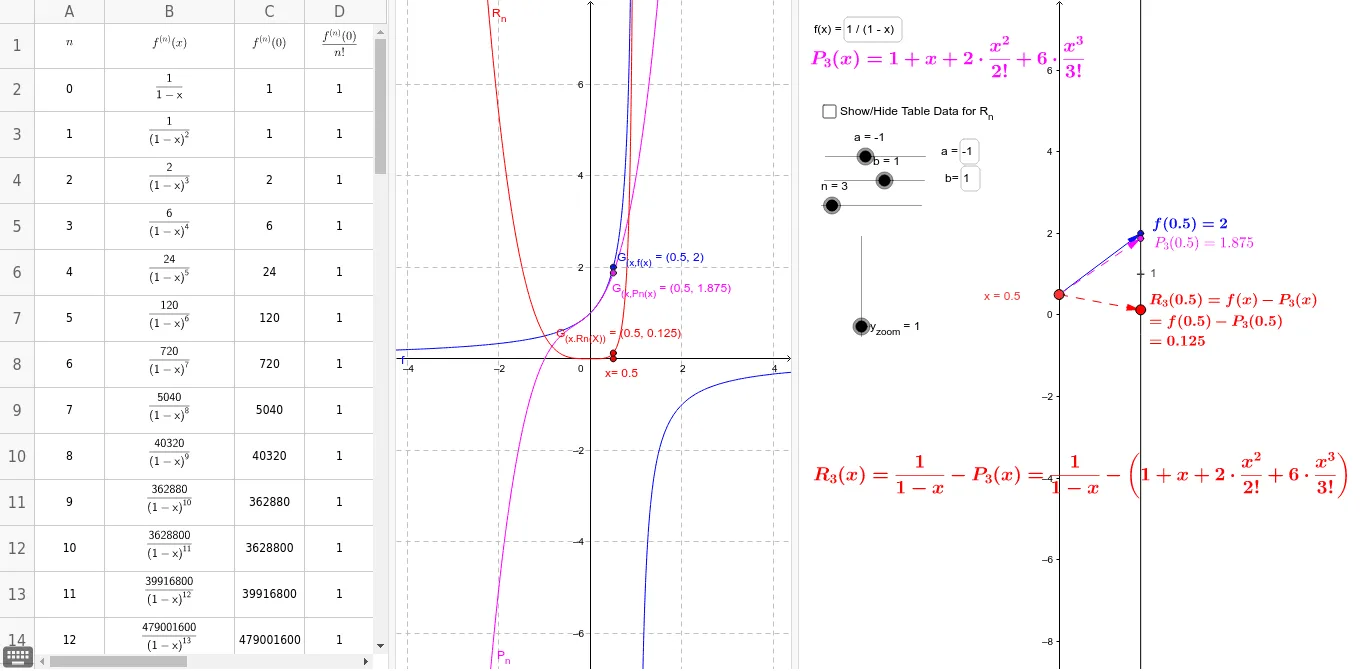
本范例展示了麦克劳林多项式及其对应的映射图和图形。它涉及麦克劳林多项式的概念,以及如何使用GeoGebra绘制多项式函数的近似图形。通过使用Point, TaylorSeries, Vector, Textfield等命令,用户可以动态调整多项式的阶数和中心点,观察多项式与原函数之间的关系。适合高中数学教学和学习使用。
GeoGebra 命令及参数
Point(yAxis) → P_xTaylorSeries(f, 0, n) → P_nVector(P_x, B) → uTextfield(f) → inputBox1Textfield(f) → inputBox2Textfield(a) → inputBox3Textfield(b) → inputBox4Sequence((0, k), k, a, b, Δx) → SourcePtsMDSegment((0, a), (0, b)) → cVector(P_x, F_x) → vVector(P_x, P_1) → wSequence((k, R_n(k)), k, a, b, Δx) → GraphptsSequence(Vector[(0, k), (2, (y_{zoom} * R_n(k)))], k, a, b, Δx) → MDSequence((2, (y_{zoom} * R_n(k))), k, a, b, Δx) → TargPts_1Derivative(f, A3) → B3Derivative(f, A4) → B4Derivative(f, A5) → B5Derivative(f, A6) → B6Derivative(f, A7) → B7Derivative(f, A8) → B8Derivative(f, A9) → B9Derivative(f, A10) → B10Derivative(f, A11) → B11Derivative(f, A12) → B12Derivative(f, A13) → B13Derivative(f, A14) → B14Derivative(f, A15) → B15Derivative(f, A16) → B16Derivative(f, A17) → B17Derivative(f, A18) → B18