
二次函数的不同形式
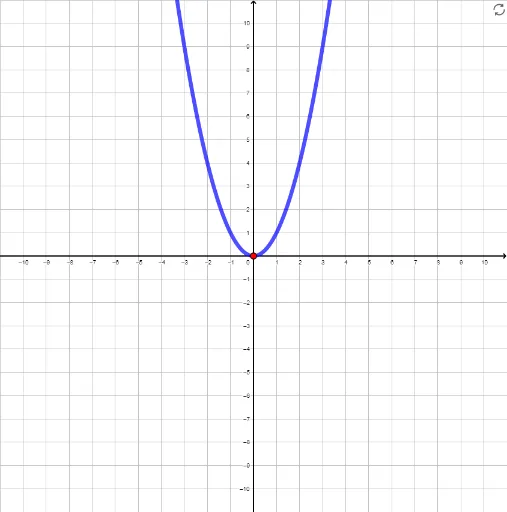
几何画板及绘图内容加载中,请稍等……
①本范例演示了二次函数的顶点式、标准式和因式分解式的图像及其转换;②涉及核心数学概念包括二次函数、顶点、对称轴、导数、根等;③作图要点使用了GeoGebra的If, Random, Point, Textfield, Derivative, Root, Vector, Polygon等命令和对象;④适合高中数学教学和函数图像变换的学习。
GeoGebra 命令及参数
If(d, ((-b)) / ((2 * a)), If[e, (r + s) / 2, If[f, h]]) → xvertexIf(d, standardform(xvertex), If[e, factoredform(xvertex), If[f, vertexform(xvertex)]]) → yvertexRandom(-10, 10) → yintgoalRandom(-10, 10) → root1goalRandom(-10, 10) → root2goalRandom(1, 3) → diceRandom(-10, 10) → xvertgoalRandom(-10, 10) → yvertgoalPoint({xvertgoal, yvertgoal}) → vertexgoalIf(d, standardform, If[e, factoredform, vertexform]) → chosenIf(dice ≟ 1, chosen(root1goal) ≟ 0 ∧ chosen(root2goal) ≟ 0, If[dice ≟ 2, xvertex ≟ root1goal ∧ yvertex ≟ 0, (yvertex * a) > 0]) → gotxTextfield(a) → InputBox1Derivative(test) → dtestRoot(test) → testroots_1, testroots_2Vector((root1goal + 2.4 - (1.2 / 5 * (root1goal + 10)), -1), B) → vVector((root1goal / 2 + root2goal / 2 - 1 - (2.7 / 9.5 * (root1goal / 2 + root2goal / 2)), -1.9), If[x(C) < x(B), C, B]) → wVector((root1goal / 2 + root2goal / 2 + 1 - (2.7 / 9.5 * (root1goal / 2 + root2goal / 2)), -1.9), If[x(C) < x(B), B, C]) → gVector((xvertgoal + 1.2 - (3 / 20 * (xvertgoal + 10)), yvertgoal - 0.9 + If[yvertgoal ≟ -10, 1.8, 0]), vertexgoal) → iVector((root1cust + 2.4 - (1.2 / 5 * (root1cust + 10)), -1), E) → v_1Vector((root1cust / 2 + root2cust / 2 - 1 - (2.7 / 9.5 * (root1cust / 2 + root2cust / 2)), -1.9), If[x(E) < x(F), E, F]) → w_1Vector((root1cust / 2 + root2cust / 2 + 1 - (2.7 / 9.5 * (root1cust / 2 + root2cust / 2)), -1.9), If[x(E) < x(F), F, E]) → g_1Vector((1, y(D)), D + (0.1, 0)) → u_1Vector((xvertcust + 1.2 - (3 / 20 * (xvertcust + 10)), yvertcust - 0.9 + If[yvertcust ≟ -10, 1.8, 0]), vertcust) → i_1Textfield(b) → InputBox2Textfield(c) → InputBox3Textfield(r) → InputBox4Textfield(s) → InputBox5Textfield(h) → InputBox6Textfield(k) → InputBox7Root(chosen) → G, HPolygon(J, K, L, M) → q1, j_1, k_1, l_1, m_1
AI 绘图提示语参考
绘制一个展示二次函数三种形式(顶点式、标准式、因式分解式)的交互式教学图形。图中包含一条抛物线,其顶点、对称轴和与x轴的交点清晰标注。界面设有多个输入框,用于调整二次函数的系数、顶点坐标和根的值。同时显示函数的导数曲线,并用箭头和向量指示顶点、根及对称轴的位置。图形背景有坐标网格,并随机生成目标顶点和根,用于练习匹配不同形式的函数。整体布局包含函数图像、输入区域和辅助线,适合高中函数变换教学。
以上提示语为根据原始绘图命令整理而来,仅供参考。