
Yatko Conjecture G: Geometric Construction with Quadrilaterals and Cones
Loading the math board and drawing, please wait…
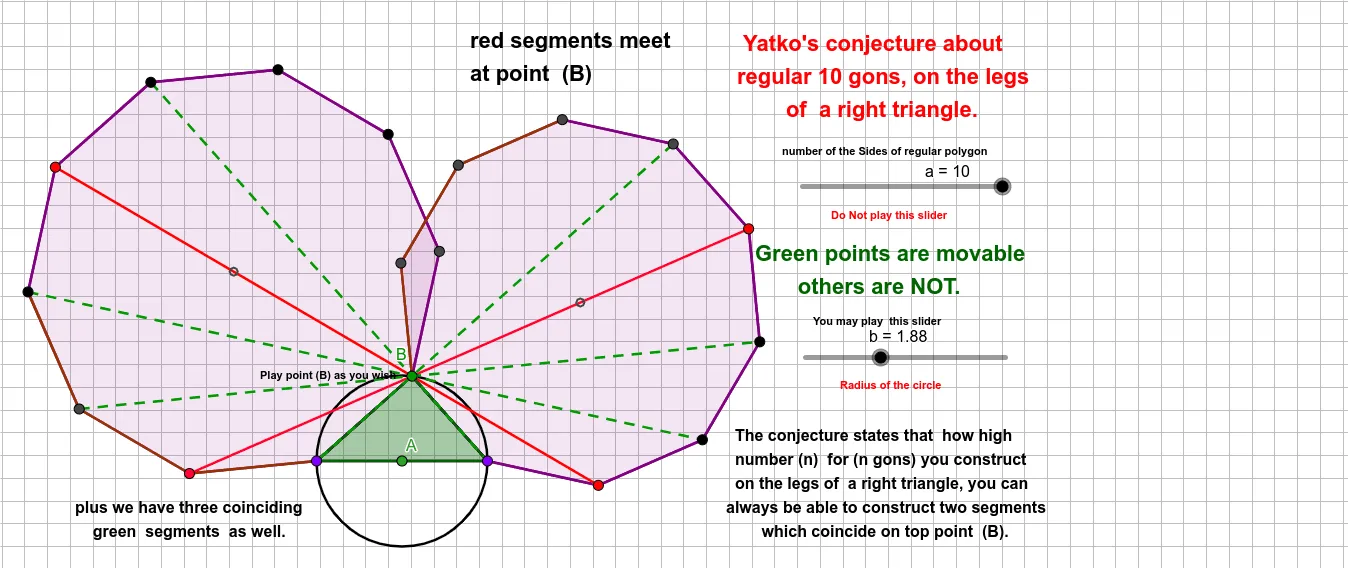
①This example demonstrates a geometric construction named 'Yatko Conjecture G', involving general quadrilaterals, polygons, circles, straight lines, and cones, likely to explore a geometric property or conjecture. ②Core mathematical concepts include general quadrilaterals, polygons, circles, Pythagorean theorem, geometric transformations, centroid, natural numbers, square roots, and cones, bridging plane and solid geometry. ③Construction highlights: Based on the construction summary, GeoGebra commands such as Circle, Point, Segment, Polygon, PointIn, and Centroid are used, creating multiple points (A, B, C, D, E, F, G, H, I, J, Q, R), segments (a, b, c, f, g, h, i, j, k, l, m, n, p, q, l_1, m_1, r, s, t, d, e, f_1, g_1, h_1, n_1, p_1), and polygons poly1 and poly2, possibly involving cone representation. ④Suitable for high school and above, for geometric exploration, conjecture verification, or mathematical modeling activities, and as a teaching demonstration of geometric construction and transformation.
GeoGebra Commands & Parameters
Circle(A, b) → cPoint(c) → BPoint(c) → CPoint(c) → DSegment(C, D) → fSegment(B, C) → gSegment(B, D) → hPolygon(C, B, a) → poly1, i, m_1, E, F, G, H, I, J, Q, R, j, k, l, m, n, p, q, l_1Polygon(B, D, a) → poly2, r, p_1, K, L, M, N, O, P, S, T, s, t, d, e, f_1, g_1, h_1, n_1Segment(R, N) → q_1Polygon(C, B, D) → t1, d_1, c_1, b_1PointIn(t1) → Pointt1Centroid(poly1) → F_1Centroid(poly2) → G_1PointIn(poly1) → Pointpoly1_{1}PointIn(poly2) → Pointpoly2_{1}PointIn(poly1) → Pointpoly1PointIn(poly2) → Pointpoly2Segment(K, I) → i_1Segment(J, L) → j_1Segment(Q, M) → k_1Segment(H, D) → r_1Segment(O, C) → s_1
AI Drawing Prompt Reference
Draw a geometric construction involving multiple quadrilaterals, polygons, circles, and straight lines, with a representation of a cone. Start by creating a circle and marking four points on it. Connect these points to form two segments and a polygon. Then, calculate the centroid of the polygon and place several points inside it. Finally, connect some vertices of the polygon to form additional segments and shapes, showcasing complex geometric relationships and transformations.
The prompt above was compiled from the original drawing commands and is for reference only.