
Writing Linear Equations Given Slope & Point (V2)
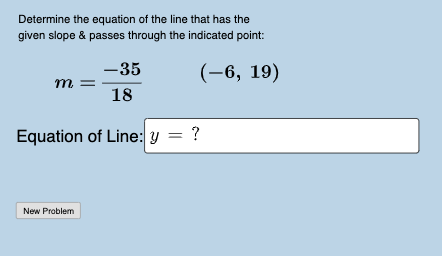
Loading the math board and drawing, please wait…
This interactive GeoGebra example demonstrates how to write the equation of a line when given its slope and a point on the line, emphasizing that the y-intercept may not be an integer. The core mathematical concept is the slope-intercept form of a linear equation (y = mx + b) and the procedure of substituting the slope and point coordinates to solve for b. The construction uses GeoGebra commands such as Random, Sequence, Union, RandomElement, Line, FractionText, and Textfield to generate random problems, display slopes as fractions, and provide input boxes for student answers. A button triggers new random exercises. This resource is suitable for middle school or early high school students practicing linear equations, and can be used for classroom practice or self-assessment.
GeoGebra Commands & Parameters
Random(-20, 20) → bSequence(i, i, -20, 20, 1) → randSequence(i, i, e + 1, 20, 1) → randrightSequence(i, i, -20, e - 1, 1) → randleftUnion(randleft, randright) → nextxlistRandomElement(klist) → krandRandomElement(xmovelist) → randxRandomElement(ymovelist) → randyLine(C, D) → fFractionText(Slope[f]) → text1Textfield(i) → InputBox1FractionText(f(0)) → text7