
Von Neumann's Elephant
Loading the math board and drawing, please wait…
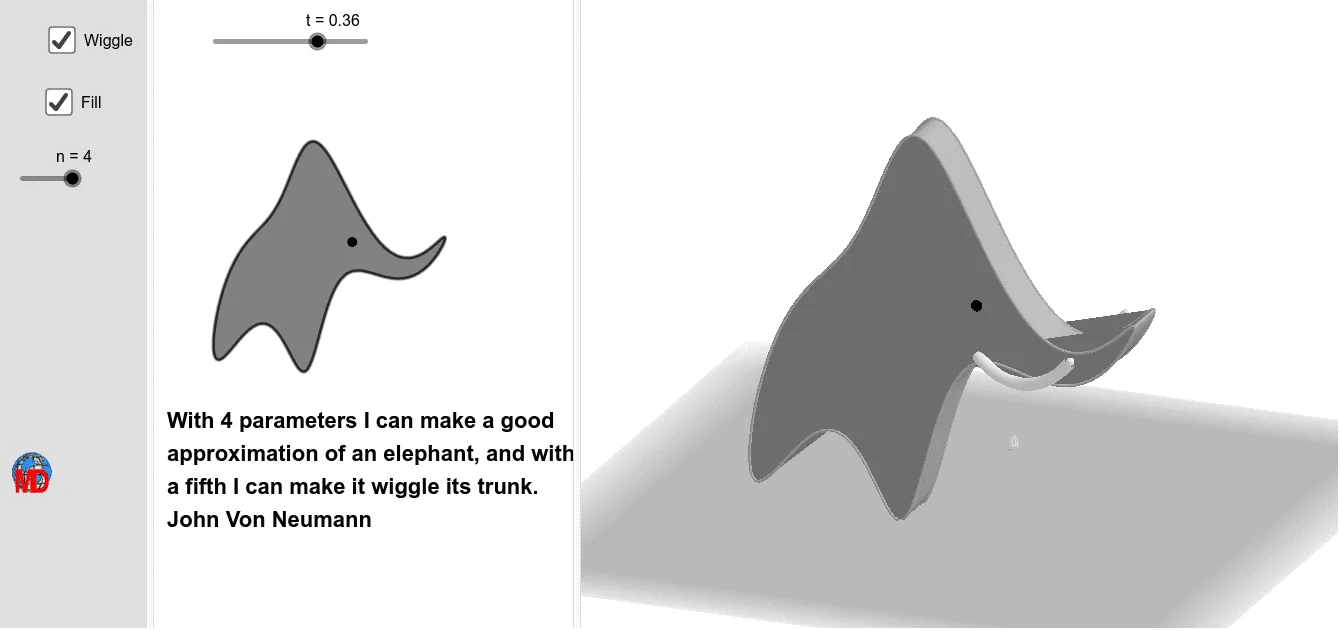
This example demonstrates Von Neumann's elephant, a complex parametric curve. It involves parametric equations, function graphs, and geometric constructions. Using GeoGebra commands such as Sum, CurveCartesian, Rotate, etc., the shape of the elephant can be dynamically constructed. Suitable for high school mathematics education and research.
GeoGebra Commands & Parameters
Sum(Sequence[(Element[Ax, k] * cos((k * x))) + (Element[Bx, k] * sin((k * x))), k, 1, n]) → fxSum(Sequence[(Element[Ay, k] * cos((k * x))) + (Element[By, k] * sin((k * x))), k, 1, n]) → fyCurveCartesian(fy(t), (-fx(t)), t, 0, (2 * π)) → elephantMin(x(param)) → cMax(x(param)) → dVector((c, 0), (d, 0)) → uLine(A1 - (0, 10, 0), xAxis) → fRotate(elephant, 90°, f) → elephant'Rotate(W, 90°, f) → W'CurveCartesian(x(A) + fy(t), y(A), z(A) - fx(t), t, 0, (2 * π)) → eSequence((x(A) + fy(t), y(A), z(A) - fx(t)), t, 0, (2 * π), (2 * π / 50)) → l1CurveCartesian(x(A) + fy(t), y(A) - 20, z(A) - fx(t), t, 0, (2 * π)) → hSequence((x(A) + fy(t), y(A) - 20, z(A) - fx(t)), t, 0, (2 * π), (2 * π / 50)) → l2Surface((v * e(t)) + ((1 - v) * h(t)), v, 0, 1, t, 0, (2 * π)) → iCurveCartesian(x(A) + (0.1 * cos(i)), y(A), z(A) + (0.1 * sin(i)), i, 0, (2 * π)) → gSurface((v * e(t)) + ((1 - v) * g(t)), v, 0, 1, t, 0, (2 * π)) → jTranslate(j, Vector[A, A + (0, -20, 0)]) → j'Translate(W', Vector[A, A + (0, -18.5, 0)]) → W''CurveCartesian(fy(t), (-fx(t)), t, 0, (2 * π)) → kCircumcircleArc(B, C, D) → pMidpoint(W'', W') → ECircumcircleArc(F, G, H) → q
AI Drawing Prompt Reference
Draw a von Neumann elephant formed by parametric curves. Start by defining x and y coordinates as Fourier series sums, creating a closed 2D curve for the elephant's outline. Then rotate this curve 90 degrees around a horizontal axis to form a 3D shape. Next, extrude the curve vertically to create a cylindrical surface, and add a circular cross-section as decoration. Finally, include an arc and two midpoint connections inside the outline for eye or decorative details, resulting in a mathematical 3D elephant.
The prompt above was compiled from the original drawing commands and is for reference only.