
Volume with Rectangular Cross-sections
Loading the math board and drawing, please wait…
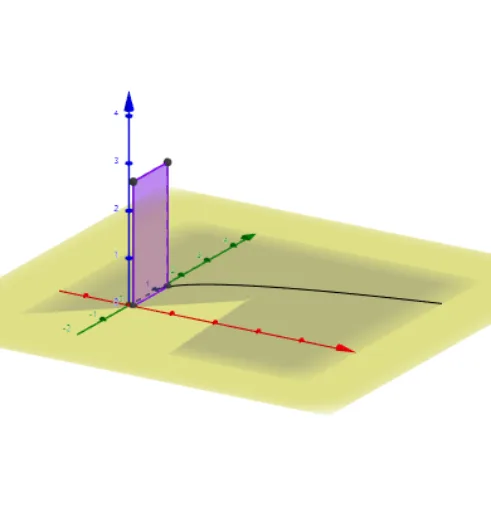
This GeoGebra example demonstrates how to compute the volume of a three-dimensional solid using rectangular cross-sections, illustrating the core idea of the slicing method in integral calculus. The solid is visualized as a stack of rectangular slices perpendicular to an axis, with each slice's area varying along the axis; the total volume is the integral of these cross-sectional areas. Key mathematical concepts include definite integrals, cross-sectional area functions, solid geometry, and volume calculation in 3D. The construction uses GeoGebra commands such as OrthogonalLine, Intersect, Segment, Midpoint, Point, Plane, and Polygon to create multiple rectangular cross-sections (poly1 through poly1_5) that together form the solid. This is suitable for advanced high school or introductory college calculus students, and serves as an effective teaching tool for visualizing the volume integral formula.
GeoGebra Commands & Parameters
OrthogonalLine(A, xAxis) → fIntersect(f, xAxis) → BSegment(B, A) → gMidpoint(B, A) → EPoint(yAxis) → FPlane(B, A, F) → aPolygon(A, B, C, D) → poly1, poly1_2, poly1_3, poly1_4, poly1_5