
Volume of Solid of Revolution: Region between y=x²+1 and y=3-x
Loading the math board and drawing, please wait…
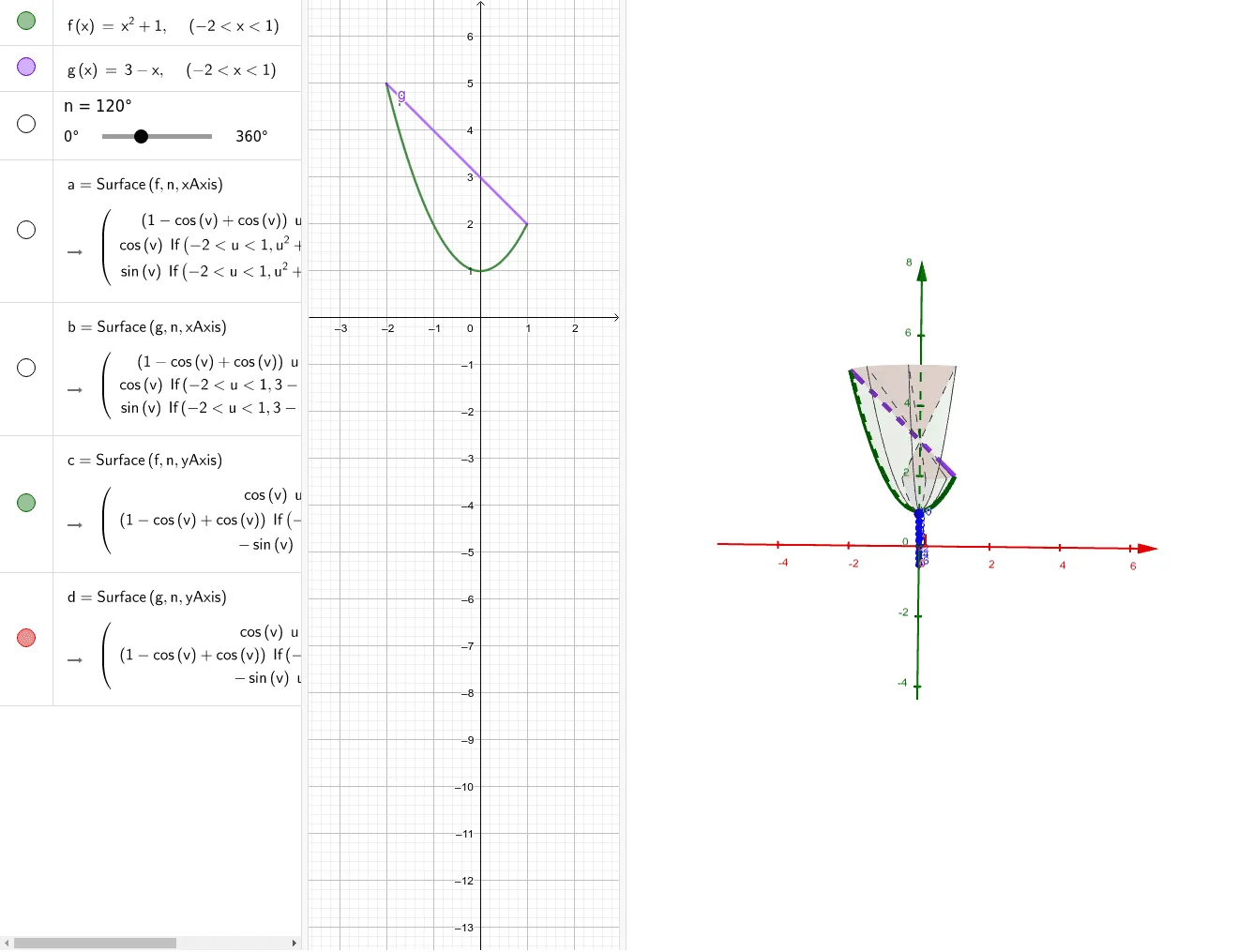
This GeoGebra example demonstrates the volume calculation of a solid of revolution formed by rotating the region bounded by the curves y=x²+1 and y=3-x around the x-axis. The core mathematical concepts include: definite integrals applied to physics - volume formulas for solids of revolution (disk method and shell method), finding intersection points of two curves, and determining integration limits. Using GeoGebra's Surface command to construct the rotational surface, the 3D shape is visualized and the volume is calculated through integration. Suitable for college-level calculus or pre-university students to understand the application of calculus in geometry and master methods for solving practical volume problems using definite integrals.
GeoGebra Commands & Parameters
Surface(f, n, xAxis) → aSurface(g, n, xAxis) → bSurface(f, n, yAxis) → cSurface(g, n, yAxis) → d
AI Drawing Prompt Reference
Create a 3D coordinate system showing the solid of revolution formed by rotating the region bounded by the curves y=x²+1 and y=3-x around the x-axis. First, plot the two curves in the xy-plane and mark their intersection points to define the region. Then, revolve each curve around the x-axis to generate two nested rotational surfaces, forming a hollow or solid volume. Additionally, include the corresponding surfaces obtained by rotating the same curves around the y-axis for comparison. Clearly display the coordinate axes and the surfaces to visualize the volume and its integration limits.
The prompt above was compiled from the original drawing commands and is for reference only.