
Volume of Revolution: 3D Model of a Logarithmic Function Rotated Around an Axis
Loading the math board and drawing, please wait…
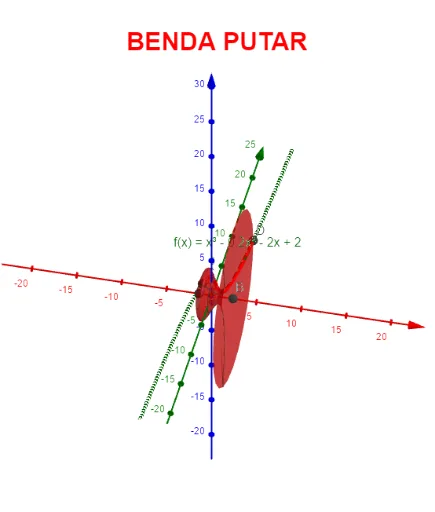
This GeoGebra example demonstrates how to construct a solid of revolution by rotating a logarithmic function curve around an axis, and dynamically visualizes the volume calculation process. The core mathematical concepts include definite integrals, volume formulas for solids of revolution (e.g., disk or shell method), logarithmic functions, and 3D solid geometry. Construction highlights: the Integral command is used to compute the definite integral, the Surface command generates the rotational surface, and interactive components such as Textfield, InputBox, sliders (e.g., α) control the rotation angle, while buttons (button1, button2) trigger animations or resets. The 3D view shows the solid along with auxiliary elements like an inscribed circle or cuboid. This resource is suitable for senior high school or early university students learning calculus, helping them intuitively grasp the integral derivation of volumes of revolution. It also serves as an interactive tool for classroom demonstrations or self-paced exploration.
GeoGebra Commands & Parameters
Textfield(f) → InputBox1Integral(f, a, b) → cTextfield(a) → InputBox2Textfield(b) → InputBox3Surface(g, α, xAxis) → dSurface(g, α, yAxis) → eTextfield(α) → α_1Integral(p, a, b) → j
AI Drawing Prompt Reference
Create a 3D solid of revolution generated by rotating a logarithmic function curve around an axis, dynamically visualizing the volume calculation. Include the logarithmic curve, rotation axis, surface formed by rotation, and auxiliary elements like an inscribed circle or cuboid. Use integrals to calculate volume, with sliders controlling rotation angle and buttons triggering animations or resets. Ideal for high school or early university students to intuitively grasp integral derivation of revolution volumes.
The prompt above was compiled from the original drawing commands and is for reference only.