
Linear Programming Demo
Loading the math board and drawing, please wait…
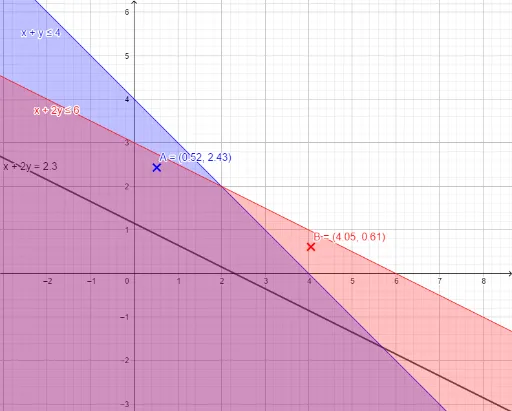
This example demonstrates the geometric solution of linear programming problems, visualizing the process of finding the optimal solution through graphical representation. Key mathematical concepts include linear inequalities, feasible regions, optimal solutions, and convex polygons. Construction highlights involve using commands like Textfield and PointIn, objects such as a, b, c, d, e, f, g, InputBox series, geometric elements A, B, C, D, and auxiliary objects h, k, l, m, n, j, i, p, q for calculations, with text outputs displayed by text1 and text2. Suitable for high school students and math enthusiasts studying linear programming and optimization methods.
GeoGebra Commands & Parameters
Textfield(a) → InputBox1Textfield(b) → InputBox2Textfield(c) → InputBox3Textfield(d) → InputBox4Textfield(e) → InputBox5Textfield(f) → InputBox6Textfield(g) → InputBox7PointIn(a) → APointIn(b) → BPointIn(c) → CPointIn(d) → DPointIn(e) → EPointIn(f) → FPointIn(g) → GTextfield(q) → InputBox8
AI Drawing Prompt Reference
Create a linear programming demonstration, including input boxes for coefficients, generate points from inputs, connect them to form a polygon, label feasible regions and optimal solutions, showcase the geometric meaning of linear inequalities, suitable for high school students studying optimization methods.
The prompt above was compiled from the original drawing commands and is for reference only.