
Volume from a Function Around an Axis
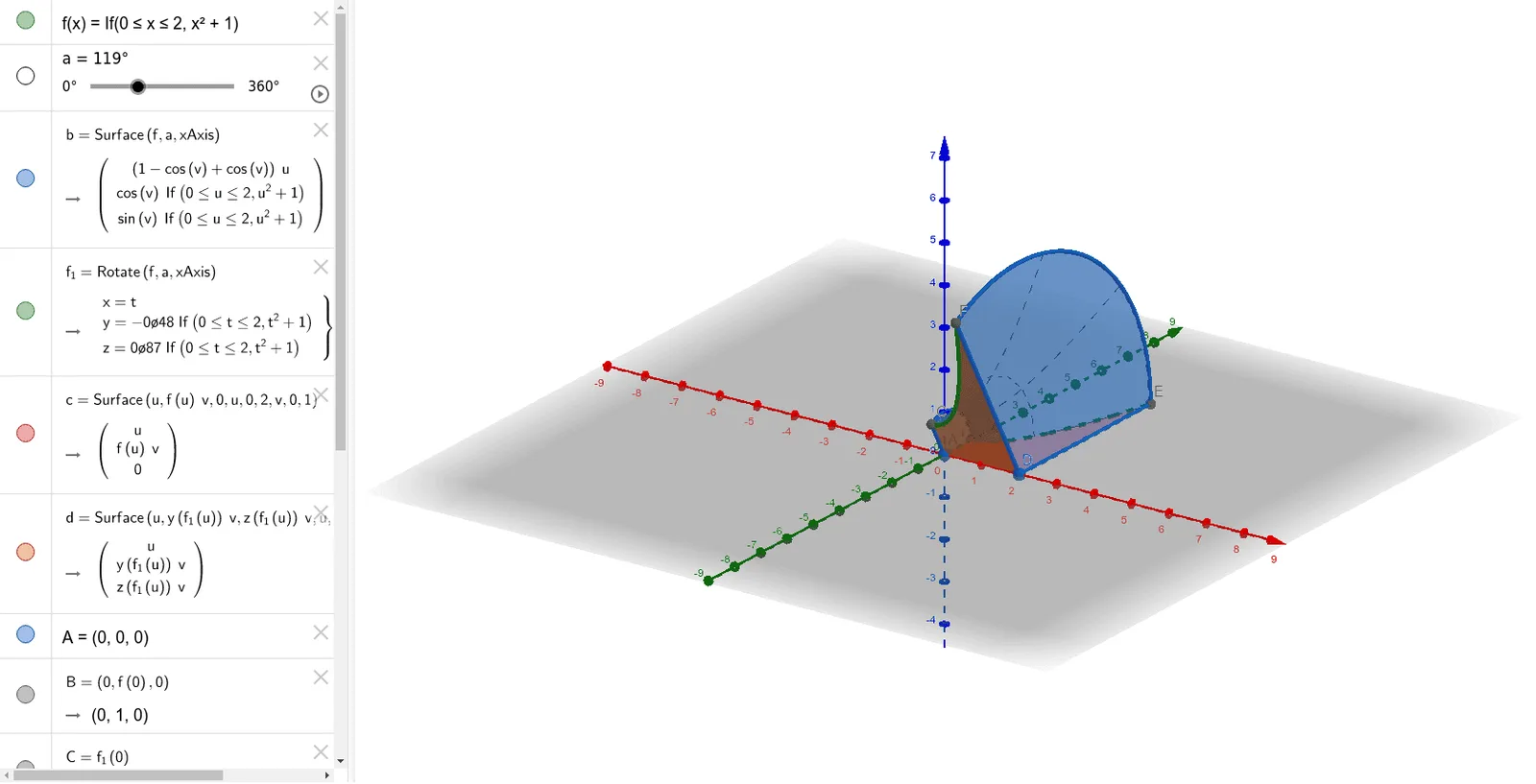
Loading the math board and drawing, please wait…
This example demonstrates how to generate a solid of revolution and calculate its volume by rotating a function around a specified axis. Key mathematical concepts include solid of revolution, median line, geometry, circle, centroid or barycenter, and fractal geometry. Construction highlights the use of GeoGebra commands like Surface, Rotate, Circle, and CircleSector, defining objects such as function f, rotation axis a and b, function f_1, circle centers c and d, etc., to visualize the volume formation through rotation animation. Suitable for high school and above students to explore integral applications in calculus and solid geometry construction.
GeoGebra Commands & Parameters
Surface(f, a, xAxis) → bRotate(f, a, xAxis) → f_1Surface(u, (f(u) * v), 0, u, 0, 2, v, 0, 1) → cSurface(u, (y(f_1(u)) * v), (z(f_1(u)) * v), u, 0, 2, v, 0, 1) → dCircle(xAxis, B) → hCircle(xAxis, E) → kCircleSector(A, B, C, xAxis) → eCircleSector(D, E, F, xAxis) → g
AI Drawing Prompt Reference
Draw a solid of revolution formed by rotating a function around a specified axis to demonstrate volume calculation. Start by plotting the function and rotating it around the axis to create a surface. Then, construct two circles using the function and the axis, and generate two circular sectors from these circles. Combine these shapes to visualize the formation of the solid.
The prompt above was compiled from the original drawing commands and is for reference only.