
Visual Prime Factorization of a Number (PrimeFactors)
Loading the math board and drawing, please wait…
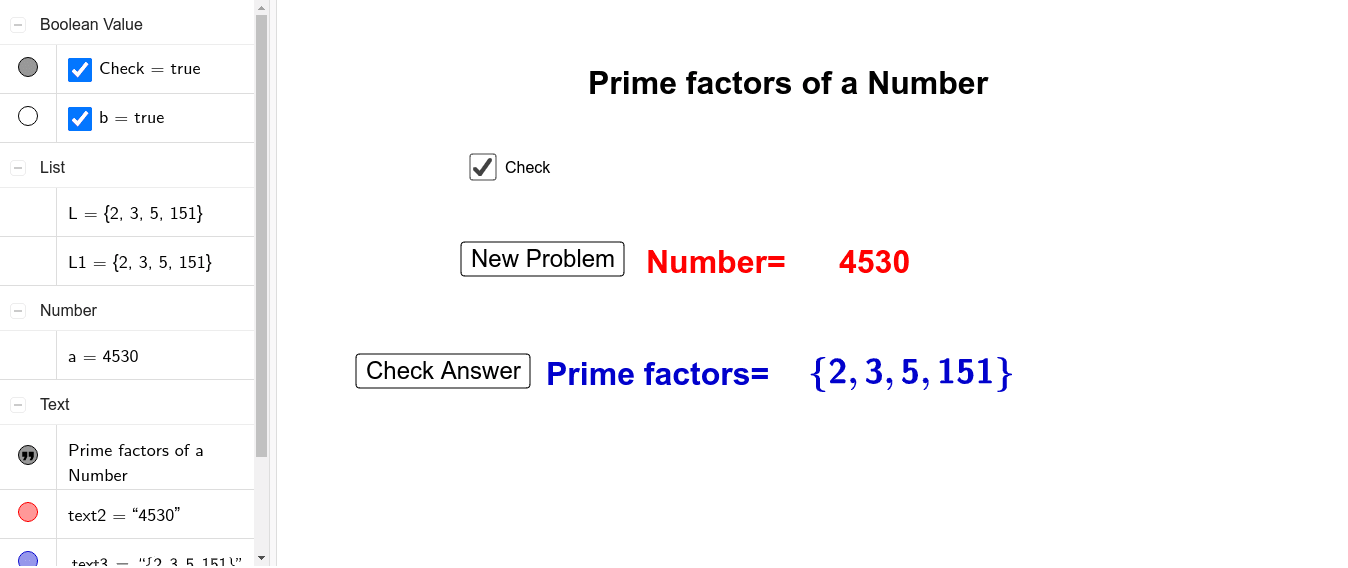
This example interactively generates or inputs an integer and displays its prime factorization in a clear, step-like textual/LaTeX form, showing how the number is expressed as a product of prime factors. It focuses on core number theory concepts: primes, prime factors, prime factorization, and the reconstruction of the original number from the prime factors (based on the unique factorization idea). In GeoGebra, the construction uses Random to select numbers, PrimeFactors to compute the factorization automatically, and Text together with LaTeX to render readable outputs. The figure is organized with text objects (e.g., text1–text5 / L, L1) and interactive controls (e.g., button1, button2, Check, and variables like a, b) that let learners trigger and verify computations. Suitable for middle school to early high school students, as well as tutoring or self-study focused on arithmetic operations and introductory number theory.
GeoGebra Commands & Parameters
Random(2, 10000) → aText(a) → text2PrimeFactors(a) → LPrimeFactors(a) → L1LaTeX(L1) → text3
AI Drawing Prompt Reference
Draw a graphic that shows the prime factorization of a number. Input an integer and display its prime factorization in a clear step-by-step text or LaTeX form. The graphic should include text objects showing the factorization and interactive controls for users to trigger and verify calculations. Suitable for middle school students learning prime factorization and basic number theory.
The prompt above was compiled from the original drawing commands and is for reference only.