
Visual Construction of Taylor Polynomials
Loading the math board and drawing, please wait…
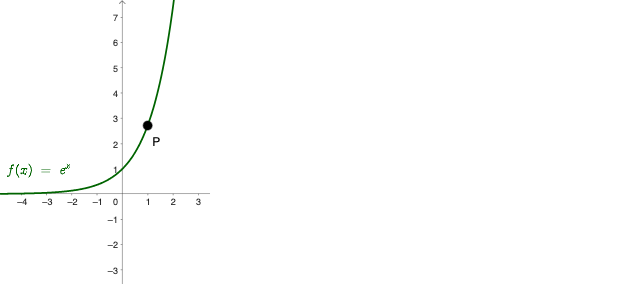
This example demonstrates how Taylor polynomials of different orders approximate a target function by overlaying the polynomial curves on the same coordinate plane, highlighting the improvement of the approximation near the expansion point. It centers on the mathematical ideas of Taylor polynomials and local function approximation using real-valued function graphs and polynomial functions. In GeoGebra, the construction organizes key objects: points and sample locations (e.g., a, P, A, B, C, D and p_0 through p_3), the computed polynomial expression or relation (eq1), the function object (f), and on-figure labels/text (text1 through text4) to indicate order/values. The setup is well-suited for calculus and mathematical analysis instruction, helping learners connect derivatives to polynomial approximation and understand accuracy behavior across approximation orders.
GeoGebra Commands & Parameters
Point(f) → PPoint(eq1) → APoint(eq1) → BPoint(eq1) → CPoint(eq1) → D
AI Drawing Prompt Reference
Draw a coordinate plane with a target function curve, and overlay several Taylor polynomial curves of different orders to show how they approximate the function. Mark a moving point on the target function curve as the expansion point, and place several points on the polynomial curves at corresponding sample locations. Include the polynomial expression as a curve, and add text labels indicating the order or value for each polynomial, to clearly compare how closely each approximation fits near the expansion point. The overall layout should emphasize the improvement of local approximation, suitable for calculus instruction.
The prompt above was compiled from the original drawing commands and is for reference only.