
Velocity Vectors
Loading the math board and drawing, please wait…
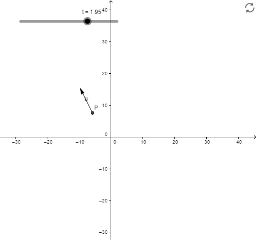
This example illustrates the concept of velocity vectors. Using the Translate, Vector, and Length commands, it visually demonstrates the change in velocity of an object at different time points. Construction highlights include using the Translate command to move points, the Vector command to draw vectors, and the Length command to calculate vector lengths. Suitable for high school physics and mathematics education.
GeoGebra Commands & Parameters
Translate(P, v) → P'Vector(P, P') → uLength(v) → Speed
AI Drawing Prompt Reference
Draw a velocity vector diagram for an object at different time points. First, create a point to represent the object's position, then use the vector command to draw vectors from the initial position to the new position, and finally calculate and display the length of each vector to represent the change in velocity.
The prompt above was compiled from the original drawing commands and is for reference only.